0:00
since the beginning of 2020 we've
0:01
reviewed chromebook after chromebook
0:03
with usi pen support and basically that
0:06
just means they support a universal
0:09
stylus and unfortunately we've always
0:12
had to hold back our comments because we
0:15
working usi pen and most of you out
0:17
there have been asking us a lot
0:19
about these pins and when they're going
0:21
to arrive and when they're going to show
0:22
well we have some good news they're
0:24
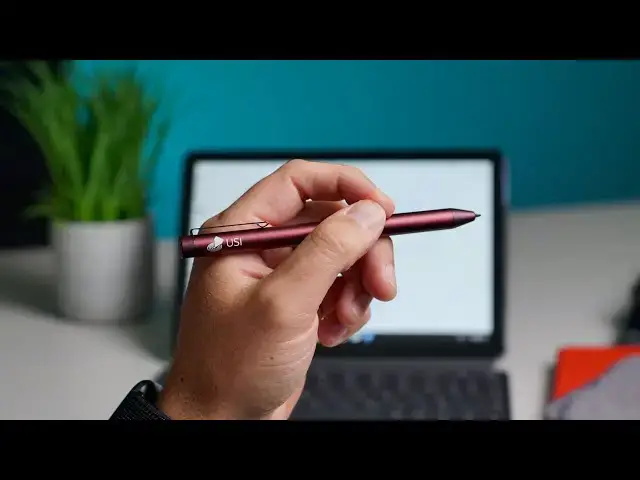
starting to arrive we have one in the
0:26
and we want to show you finally how much
0:31
when they're ones that are actually
0:38
we're going to demo this on the lenovo
0:40
chromebook duet because
0:41
hey it's probably of all usi chromebooks
0:45
it's the one that's most popular it's
0:47
probably sold the most it's low in price
0:49
it's portable it's small it's going to
0:51
lend itself to drawing and note taking
0:53
it makes more sense to kind of demo it
0:55
here but all of this stuff that we're
0:57
going to talk about applies to other
1:00
the ones we have on the desk here the
1:03
the acer spin 713 asus flip c436
1:07
the hp x360 14c and on and on and there
1:11
will be other chromebooks that are going
1:13
later this year that are also going to
1:14
be usi compatible and so
1:17
all of what we're going to show you
1:19
applies to all of those because
1:20
up until this point we've had to hold
1:22
back on any comments about how well
1:24
usi pens work because the only one we've
1:28
hp and admittedly this is way
1:32
we got this in and we thought hey hp is
1:34
ready to start shipping this thing they
1:35
informed us we were months out from
1:37
and when it did show up they sold out
1:39
pretty quickly and it apparently was a
1:41
different model than what we have here
1:43
but this is all we had so we would test
1:45
it each time a new chromebook came in
1:47
let me show you exactly kind of what
1:48
we're dealing with so when i go to to
1:50
write if i lightly touch the screen i'm
1:53
touching the screen right now and that's
1:55
what i'm getting now if i push down hard
1:58
and you see i push down hard enough to
1:59
move the chromebook it works
2:02
but no one wants to write with constant
2:04
pressure all the time and what this ends
2:06
is if i attempt to write
2:10
and don't push like everything just runs
2:12
together because i can't lift the pen up
2:14
and right if i write naturally like i
2:18
there's my name and because it can't
2:20
pick up those light touches
2:22
and that's just a problem with this pin
2:24
we've we've learned since that hp had an
2:26
issue with the tip on this pin
2:28
and they've kind of scrapped that and
2:30
the ones that they shipped were an
2:32
updated version that obviously we don't
2:34
however fast forward and now we have a
2:38
usi pin this is uh walltop they're
2:41
odm so they're a company that will make
2:45
and we talked about a pin on our website
2:48
that you could go buy from iploom it is
2:51
this pin basically but it's
2:52
it's being kind of manufactured and
2:54
shipped and branded as i plume
2:57
there are more of these on the way so
3:00
and this one you actually have to turn
3:01
on real quick let me go back
3:04
home here and open up a new drawing
3:07
and show you the difference here so
3:08
without pushing down or doing anything
3:10
unnatural i can just lay the pin on the
3:12
screen i'm not put you can tell i'm not
3:14
putting any pressure on that thing
3:15
and it works perfectly you get great
3:19
i'm no artist by any stretch of the
3:21
imagination but ultimately what i want
3:23
from a pen is for it to be able to write
3:25
naturally and so if i go to write my
3:27
name my handwriting is terrible
3:30
but you can see i don't have to do
3:31
anything unnatural or push down really
3:34
in order to get it to work and where
3:35
this really comes in handy is actually
3:37
navigating the ui so when i'm actually
3:39
tapping on things and moving stuff
3:41
i want to be able to move naturally
3:43
through the interface and i have to
3:44
shove the pen on the screen to move it
3:46
so if i get the hp pen up again and
3:49
touch you see it's not registering
3:52
and actually have some force on the
3:54
screen and so we were concerned that
3:57
a problem with the usi standard and that
4:00
this was going to be an ongoing issue we
4:03
is not the issue at all this pen feels
4:07
any aes stylus or emr stylus that we've
4:09
seen on other chromebooks so
4:11
count it up there with the samsung
4:13
galaxy chromebook or the pixel book or
4:16
as far as how responsive the pen input
4:18
is and again i'm no artist but
4:20
ultimately if i want to be able to take
4:21
notes and put my hand down on paper you
4:23
know and make a list and write
4:25
very small and very accurately
4:31
again my handwriting is terrible but
4:33
usually if i pick up this pen and try to
4:35
do that with something like this
4:40
you just can't make it work because
4:41
you're so focused on keeping pressure on
4:43
it's almost impossible to write with
4:45
this and while this does technically
4:47
it was a terrible user experience so we
4:50
just wanted to show you guys
4:51
that usi pins are coming this one feels
4:56
it actually works in some of the
4:57
magnetized parts of chromebooks it's not
5:00
specifically but it does work to attach
5:02
to the magnets on chromebooks
5:04
that that's not exactly what it's there
5:06
for but they are metal they feel great
5:08
the weight is great on them and again
5:10
being able to write without pushing and
5:13
and navigating the user interface easily
5:16
and smoothly with this pen that's what
5:18
people are after with a stylus that
5:20
works with these and the benefit is here
5:22
we've tried this on this and the flex 5
5:25
and it works on all of them just the
5:27
same so this is going to be the the
5:29
lowest comma denominator here with this
5:31
tablet because it's the slowest by far
5:33
of all these chromebooks that support
5:35
so any processing problems it would have
5:37
obviously would slow some of the inking
5:40
you see how good it is on the lenovo
5:41
duet it's only going to be better on
5:44
other processors that are faster and
5:46
other chromebooks that have bigger
5:47
screens and better processors so
5:49
ultimately we feel very confident now
5:51
that as usi pens begin to ship and begin
5:55
and begin to show up from other makers
5:58
and acer and all these companies that
6:00
are going to begin making these
6:01
this standard is going to be something
6:03
pretty special and we're excited that
6:06
we're not going to have to worry about
6:07
pins working well they're just going to
6:09
work across the board it's going to be a
6:11
smooth experience and people are really
6:13
being able to buy one pin and no matter
6:15
what chromebook you go by this pen
6:17
is just going to work on it but guys
6:18
that's it for this one if you like this
6:20
video give it a thumbs up go down there
6:21
and hit that subscribe button
6:23
make sure also to hit the notification
6:24
bell if you'd like to be alerted when we
6:26
make future videos just like this one
6:27
until next time we'll see