Up next in 10



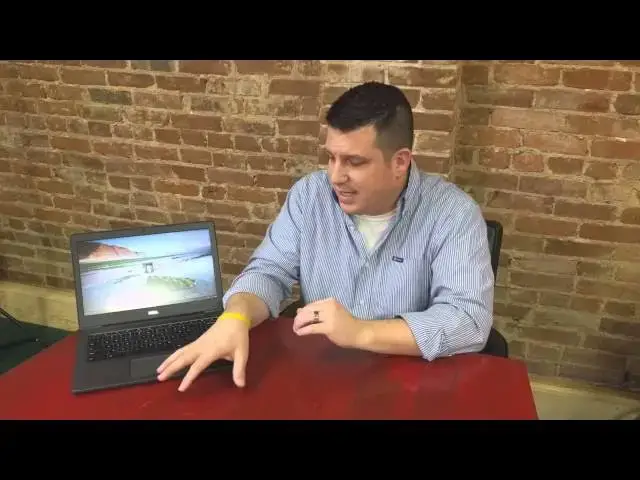
In this video, I take a look at the Dell Chromebook 13. A mid-range Chromebook well worth taking a look at and possibly the best combination of price and build quality.
Show More Show Less View Video Transcript
0:01
[Music]
0:17
hey folks Robbie Payne with chrome unbox
0:19
coming at you today with a full review
0:22
of the Dell Chromebook 13 now for those
0:24
of you who have been around the channel
0:26
for a little bit you probably saw the
0:28
unboxing of the Chromebook 13 with the
0:30
Celeron version this now is the I3
0:32
version um I got both of those in and
0:35
I've spent some considerable time with
0:37
the
0:37
I3 uh wanting and hoping to make it my
0:40
daily driver and it just about made it
0:43
to the point where it was going to be
0:44
the only device I used uh and I'll go
0:46
into why I'm not going to be doing that
0:49
um but that doesn't take anything away
0:51
from this Chromebook and how awesome and
0:54
gorgeous and useful it is as a daily
0:57
driver device um this thing is rocking
1:00
fifth gen I3 processor uh 8 gigs of RAM
1:04
which is one of the reasons I wanted to
1:06
switch to it it's one of the few
1:07
Chromebooks you can get with 8 gigs of
1:08
RAM as an option uh it did take a
1:11
considerable amount of time to ship uh
1:13
which is why I got the other version
1:14
First did the unboxing and then ended up
1:16
moving to this one it took about 6 weeks
1:18
to get this from Dell hopefully they're
1:19
turning that around a little quicker now
1:22
uh but for those of you who um have have
1:25
checked this device out you'll know this
1:26
and for those of you who are seeing this
1:27
for the first time we'll go through a
1:29
few of the specs and we'll get a we'll
1:30
get a closeup look at it here in just a
1:32
minute uh but we're looking at a 1080p
1:35
IPS display this is not the touch
1:37
Edition eventually they're going to be
1:39
uh offering a a a touchscreen version
1:41
which would have glass all the way to
1:42
the edges here um and it would be a
1:45
glossy B our glossy display versus the
1:47
matte finish here uh we're at 1080p uh
1:50
13.3 in we have a backlit keyboard which
1:53
you can probably see and again we'll see
1:55
in the hardware overview here in just a
1:56
moment we have a glass trackpad
1:58
magnesium alloy box
2:00
uh carbon fiber on the top and that same
2:04
magnesium aloy on the bottom so overall
2:07
um my my impressions of this Chromebook
2:09
are um are are really good um it's not
2:12
the cheapest Chromebook on the market by
2:14
any by any stretch of the imagination
2:16
it's actually one of the more expensive
2:17
ones and that's for good reason Dell has
2:19
done a good job of building a really
2:21
high quality machine here and so nothing
2:24
about the quality or the usefulness of
2:25
this device uh have anything to do with
2:27
me not using this as my daily device
2:30
for me it just came down to screen size
2:32
when I'm sitting at a desk and I have a
2:33
large Monitor and a secondary monitor uh
2:36
13.3 in just for the most part is going
2:38
to be too small for me so um I'm
2:40
sticking with my configuration of using
2:42
a chrome box while I'm at the desktop
2:43
with a couple nice large monitors and uh
2:46
when I'm on the go um I'm kind of back
2:49
and forth deciding what it is I'm going
2:50
to use I think I'm going to uh hold on
2:52
to the Toshiba Chromebook to the 2015
2:55
Edition for a little while I do uh
2:57
really enjoy the the real small size
2:59
lightweight weight of that device in the
3:00
display but I will say this display is
3:02
second to none uh the keyboard is
3:04
fantastic it has the best trackpad other
3:07
than the pixel and I think it gives the
3:08
pixel run for its money too as far as uh
3:11
usability it's just Ultra smooth buttery
3:14
feel it is glass but it feels like it
3:16
almost has a coating on it makes it just
3:17
a little more soft touch it's it's
3:19
wonderful it's I might say it's the best
3:22
trackpad I've ever used and I know some
3:24
people might disagree saying the pixel's
3:25
better but it it is a great trackpad um
3:28
it it's it's the reason I considered
3:30
saying you know what I'm going to ditch
3:31
everything else and this is going to be
3:32
my device but like I said the screen
3:34
size is the only thing and and honestly
3:36
that's a on a per user basis but uh when
3:38
you get 1080 pixels this way on a
3:42
display on a 13.3 in you end up with
3:44
some pretty small fonts and so when the
3:46
device is right in your face and you're
3:48
typing from it you know right here no
3:50
big deal at all didn't bother me one bit
3:52
uh it was just when it was up on a on a
3:54
stand next to a large monitor I felt
3:56
like I was having the strain a lot to
3:57
kind of see it and constantly you know
3:59
adjusting pages and blowing them up and
4:01
stuff and so uh for my workflow it just
4:03
didn't make a whole lot of sense anymore
4:05
so that's the reason I went away from
4:07
that I did open this one up and uh add
4:09
128 gig Solid State Storage to it uh
4:13
it's very simple we'll talk about that
4:14
in the hardware overview here in just a
4:16
second too uh but it was easy to open up
4:18
and just as easy as any Chromebook to
4:19
swap out the SSD if you haven't done
4:22
that um there are videos uh on a per
4:25
Chromebook basis and um just some
4:27
general overviews you basically make the
4:29
USB B um uh boot stick uh swap the hard
4:33
drive out when it boots up stick the
4:34
stick in let it do its thing and boom
4:36
you're up and running so it's really
4:37
really simple uh I'm not I'm not a
4:39
hardware guy really that much and it's
4:41
not been an issue uh but the 8 gigs of
4:43
RAM held up um never had any issue with
4:45
anything um stuttering or lagging the
4:48
thing is fast um it's beautiful and uh
4:52
like I said I I have no problem
4:54
recommending this now the I3 version
4:55
comes in at around $650 with no touch no
4:58
touch uh and um I think it's worth that
5:02
um if you're looking for a premium
5:03
Chromebook device I I don't know that
5:06
most people are going to get uh that
5:08
much difference out of the I3 versus the
5:10
Celeron the the specs uh the the the
5:14
benchmarks are a little bit different I
5:15
want to say 3 4,000 you're going to see
5:17
difference between Celeron I3 somewhere
5:19
around 16,000 177,000 for the Celeron 20
5:22
to 21,000 for the I3 I don't know that
5:25
you're going to see or get that much
5:27
difference real world out of out of that
5:30
uh for the money because you can get the
5:31
Celeron version for
5:33
$429 I think it is or 450 somewhere in
5:36
that in that ballpark and they're
5:37
available and you can get them from
5:38
multiple places and stuff um so that's
5:40
not a big deal the problem is you don't
5:42
step up to 8 gigs of RAM without
5:44
stepping up to the I3 so there is no
5:45
choice to get 8 gigs of RAM compared
5:47
with the Celeron which would be really
5:49
nice um and then I think they're only
5:51
going to do touch on the upper upper
5:52
models as well so um so you got to think
5:55
through those things when you're
5:56
thinking about how much you're going to
5:56
spend is the Chromebook going to be your
5:58
daily driver is it going to be a side
5:59
computer cuz as a side computer the
6:01
Celeron served me really well uh for the
6:04
for the week or so or two weeks that I
6:06
used it had no issues with it whatsoever
6:08
had in Buu running uh on the side um
6:12
just no issues at all so um I highly
6:14
recommend this device it is it is
6:16
awesome it's well built it does
6:18
everything you want it to do uh it lacks
6:20
really nothing um if they had a 15-in
6:23
version of it it would absolutely be my
6:25
device and I've said that a multiple
6:27
times um I really enjoy the 15in version
6:30
uh the 15.6 in device the Acer c910 um
6:34
but they won't make it in an 8 gig
6:35
version so um it that can't be my device
6:38
but after using this for a little bit um
6:41
my wife has the c910 and when I go back
6:43
to it I feel the the cheapness honestly
6:45
because this is such a high quality
6:47
device um it's it's really nice and it's
6:50
on par with uh the quality you would
6:52
expect to get kind of from the pixel and
6:54
that kind of thing so uh thumbs up uh to
6:56
Dell for doing a good job uh we're going
6:58
to take a second here and uh look over
7:00
the hardware real quick and then uh
7:02
we'll kind of wrap this thing
7:06
up all right guys let's take a tour of
7:08
the hardware just kind of up close and
7:09
personal here so what we're coming at
7:12
you with is a 1080p IPS display so you
7:16
can see as I bend it forward bend it
7:18
back get a little bit more brightness
7:20
off the center but not much uh you're
7:22
seeing a little bit of the glare of the
7:23
lights which is partially taken care of
7:28
by the the mat finish screen you got a
7:31
webcam up top 720p um we've got backlit
7:35
keyboard bend it back you kind of see
7:37
those backlights in there it is
7:39
multi-stage let's see how many stages we
7:40
get so there's full
7:42
brightness so there's one two 3
7:46
four
7:48
five so if you count off you get six
7:51
stage back lighting which is pretty
7:52
sweet uh track pad's not the biggest
7:54
thing in the world but it's nice and
7:55
wide it's not very tall but that didn't
7:57
seem to bother me at all you'll see
8:00
you see some smudges that do collect on
8:02
this thing it collects smudges but they
8:04
wipe off pretty quickly so that's kind
8:06
of a nice a nice thing uh you'll see
8:08
down in the corner if you have the I3
8:10
it's clearly marked right there on
8:12
it coming around the
8:16
side Focus there we have fulls sizee
8:18
HDMI power slot uh 3.0 USB here earphone
8:24
uh headset and then we have a micro SD
8:27
card slot here so keep that in mind you
8:29
may need to purchase additional storage
8:32
if you don't have a micro SD sitting
8:33
around over here we've got a USB 2.0
8:36
Kensington lock across the bottom
8:40
massive vent for fan um and then just
8:43
that magnesium alloy with a nice long
8:45
feet across the bottom here and nothing
8:47
else save some screws take all those
8:49
things out kind of pry at the top a
8:52
little bit and that whole casing will
8:53
come off you get to the solid state
8:55
drive that you can swap down there on
8:57
top we have this carbon f
9:00
fiber let's see if we can get it to
9:02
focus
9:07
here it's being
9:13
finicky that is a tough thing to ask ask
9:16
it to focus
9:20
on now we're not going to get it you can
9:23
kind of see that carbon fiber weave and
9:25
it has a weird like three-dimensional
9:27
look to it it's hard to even explain
9:29
it's very soft touch I think like Nexus
9:32
7 uh 2013 the back of it the back of the
9:36
Nexus 5 it kind of has that feel but
9:38
it's firm uh and it's got a really cool
9:41
uh thing to it so from the side closed
9:43
up we're nice and slim uh real clean
9:46
across the front um it's just a a really
9:50
nice um really nice no compromise kind
9:53
of
9:55
sleek clean looking design uh
10:00
I'm actually going to finish putting in
10:03
my
10:06
passcode
10:10
here there we
10:12
go and we'll do a couple things real
10:15
quick I'm actually going to sign out and
10:16
sign back in as a
10:23
guest so we can run some benchmarks on
10:27
it a it's doing it up
10:36
update now for those of you wondering I
10:38
did install Ubuntu uh and it ran
10:41
perfectly fine on here as you would
10:42
expect it's an Intel chip so not running
10:45
into anything different or strange
10:47
there let's browse this
10:53
guest and then we'll get some octane now
10:56
as I was saying in the in the opening um
10:59
if if you haven't messed with a 1080p
11:01
13.3 in inch screen you can see the the
11:05
fonts and everything is everything's a
11:07
little small um and again up close and
11:10
personal when you're using it you kind
11:12
of get used to it and it's not a big
11:14
deal um
11:16
but if it's up on a keyboard stand or up
11:19
on a laptop stand and it's away from
11:21
your face a little bit like it is right
11:22
now for me um it can feel a little small
11:26
and a little hard to read
11:36
and so we'll go ah and get that
11:43
running the nice thing about the
11:44
Magnesium Alloys you get all the
11:46
benefits of metal as far as it not
11:47
having any flex and being very rigid
11:49
kind a softer touch and a warmer feel
11:52
than say aluminum or something like that
11:54
so it's uh it's a very approachable a
11:57
very comfortable device um like I said
11:59
you get really good travel on the keys
12:01
uh they're not mushy at all it's a
12:03
really good typing experience as there
12:06
well as well there excuse me
12:10
um the bezels being uh plastic on here
12:13
for the matte finish display 19 860 so
12:17
close to 20,000 I've I've seen it
12:20
anywhere between 19 and 21,000 just
12:22
depending on uh what's going on and so
12:25
uh moving along quite nicely there uh
12:27
but that matte finish bezel help because
12:29
this is where you handle the screen all
12:30
the time it helps to kind of reduce some
12:32
of those fingerprints so keep in mind if
12:34
you get the Touch version and has the
12:36
glass edges there those are going to
12:37
pick up some fingerprints on you so um
12:39
overall that's that's the hardware um
12:42
it's it's well designed it's really well
12:44
made uh dell has done a very good job
12:46
with
12:47
this so in summary uh great device great
12:51
build quality great screen great
12:53
keyboard great trackpad decent speakers
12:56
but honestly what are we expecting out
12:58
of a out of a laptop speaker honestly um
13:01
there's really no compromise here
13:03
especially with the I3 8 gigs of RAM uh
13:07
swappable SSD there's there's really no
13:09
limit inside of Chrome OS as far as what
13:11
you can do with this device so uh highly
13:14
recommend it especially if if you're not
13:16
sitting at a desk if this is going to be
13:18
an on the- go work machine and you're
13:19
going to work always at a table open the
13:21
thing up and get to work um I can't
13:24
recommend this this device enough it's
13:26
probably uh bang for the buck the best
13:28
Chromebook I used and U again for me my
13:31
use case is a little bit different
13:33
because of screen size issues and what I
13:35
would like to have at a desktop which is
13:37
where I spend most of my time at a desk
13:39
that I come back to every day um my use
13:42
case is just a little bit different than
13:43
most people for most people when they
13:44
say hey this is my computer this is what
13:46
I work from this is what I use on a
13:47
daily basis I cannot recommend this
13:49
thing enough it's it's absolutely
13:51
fantastic and uh uh I hope while having
13:54
watched this review if you're on the
13:55
fence or you're thinking whether or not
13:56
I should get this device go for it if
13:58
it's in your price range at that 450 to
14:01
650 is somewhere you've been looking for
14:03
you've been looking for that mid-range
14:04
Chromebook that offers kind of Premium
14:07
feel and premium fit and finish then
14:09
absolutely go after this thing uh it is
14:12
it is well worth your money it's well
14:13
worth your time to get it uh I hope
14:14
you've enjoyed the video if you have uh
14:16
give it a thumbs up uh subscribe down
14:18
below thanks for watching and stay tuned
14:21
for the next one see you guys later
#Computer Hardware
#Laptops & Notebooks
#Consumer Electronics