Up next in 10



Sponsored by Wordpress.com. Build your website on the world's most powerful platform. Get started here: http://chromeunboxed.com/wordpress
Shop Chromeboxes: https://fave.co/32Erq3Y
HP Chromebox G2: http://tidd.ly/ad1850df
・・・・・・・
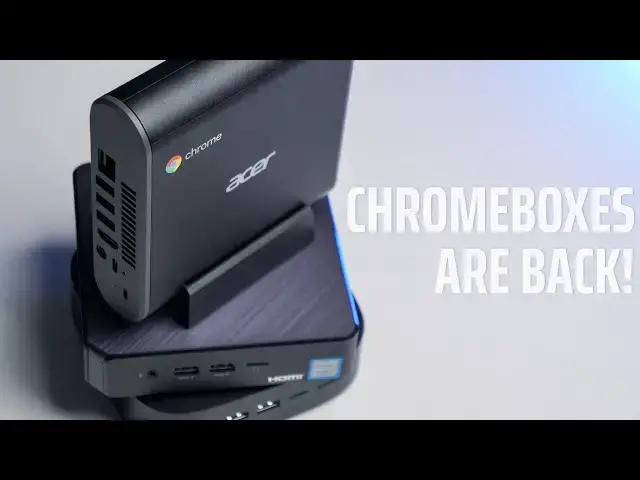
There is an armada of new Chromeboxes on the market but which one is right for you? Check out this quick video to see what makes shopping for these tiny desktop devices different than looking for a Chromebook.
Read more: https://chromeunboxed.com/
Join our newsletter: http://bit.ly/2WjCDm7
・・・・・・・
Subscribe to the channel: http://bit.ly/2xFuj6L
Shop Chromebooks: https://fave.co/2OuedYL
The Music We Use - http://bit.ly/31W6PYP
Become a member of Chrome Unboxed to help us make our channel even better, and for access to exclusive perks: http://bit.ly/CU-join
Show More Show Less View Video Transcript
0:00
hey guys Gabriel with chrome unboxed and
0:02
today we are talking chromeboxes before
0:12
we dig in this video is brought to you
0:14
by wordpress.com whether you're our
0:16
blogger small business or whatever if
0:18
you're looking to build an SEO rich
0:20
beautiful website WordPress has all the
0:22
tools and more you want to learn more
0:24
you can go to Chrome on box.com forward
0:27
slash WordPress so chrome boxes are back
0:30
just two short years ago we weren't sure
0:33
if we were gonna see any more of these
0:34
hit the market now there's more than you
0:36
can choose from so today we're gonna
0:38
take a look and maybe help you decide
0:40
which ones for you and so if you're in
0:42
the market for a new chrome box and
0:44
you're not sure which one to buy we kind
0:47
of have to take a different approach
0:48
here chrome boxes are essentially Chrome
0:51
OS in its purest form we don't look at
0:53
things like display size resolution
0:56
peripherals pins convertible clamshell
0:59
tablet none of that matters you're gonna
1:01
have your monitor you're gonna have your
1:03
keyboard you buy whatever you want it's
1:04
all about what's inside this box and
1:06
honestly it's kind of dealer's choice
1:09
we've got a wide range here but which
1:12
one's for you really depends on what you
1:15
need out of a chrome box all right so
1:17
let's walk through what matters when
1:18
you're looking to buy a new chrome box
1:20
like I said there's a pretty wide range
1:22
you've got a base seller on process or
1:25
all the way up to core i7 like this HP
1:27
it has 16 gigs of ram and honestly it's
1:31
a beast and you probably aren't gonna
1:32
use what's inside for most users if
1:35
you're just setting this on your desk at
1:36
home and you're just gonna be using it
1:38
to do some banking Facebook watch some
1:40
cat videos don't be afraid of the
1:42
Celeron processor the 38 65 has plenty
1:45
of power and if you can get one upgraded
1:48
with eight gigs of ram it's gonna do
1:50
everything that you need it to do
1:52
these I sevens and I fives they're
1:54
geared more towards enterprise guys that
1:56
are running a lot of stuff like Linux
1:58
and things like that and if that's what
2:00
you want or that's what you need you
2:01
want to tinker around with some graphic
2:03
editors or whatnot I'd say go for it
2:05
but all of these devices are essentially
2:08
the same when it comes to port selection
2:11
boards are identical they're all going
2:13
to support 4k all of that so it really
2:15
just boils down to how much power you
2:17
need and then price like I said for a
2:20
daily driver around the house just to do
2:22
little things the Celeron processors
2:24
processors more than enough and you can
2:27
grab one of those for around two hundred
2:28
two hundred fifty bucks on Amazon
2:30
there's even a site that will upgrade it
2:32
and trick it out for you and give you an
2:34
ASIS box with a nice skin on it and the
2:37
extra four gigs our amp for right at
2:39
$300 for everyday use that's the one I'd
2:42
go with but it's really going to boil
2:44
down to price and which one you like I'm
2:48
a fan of the Acer because I like it's a
2:50
little bit different in the shape it
2:52
comes with this little base so you can
2:53
mount it vertically by your computer but
2:55
at the end of the day it's going to be
2:57
tucked behind your monitor and it
2:58
doesn't really matter but when we go
3:01
back to what's on the inside there is
3:04
one key thing I will point out if you're
3:06
doing the seller on go ahead and spring
3:08
for a gigs a ram if the manufacturer
3:11
offers it if they don't that's another
3:14
beautiful thing about these devices
3:16
they're easily upgradable some of them
3:19
more so than others the Acer is a little
3:21
bit more difficult to get apart than say
3:23
the Asus but at the end of the day once
3:26
you pop them open switching out the RAM
3:27
and even the storage going up to the
3:30
nvme half a terabyte whatever you want
3:32
it's just not that hard and it kind of
3:35
future-proof these so if you're happy
3:37
with the processor and the device don't
3:39
get hung up on how much RAM it's got or
3:42
how much storage it has you can adjust
3:44
that at will so find the device that
3:47
works for you as far as processing power
3:49
and price get it and then a month from
3:53
now you want to throw some more storage
3:54
in it's no problem and we're going to be
3:56
doing some breakdown videos of the ones
3:58
we have on hand to show you just how
4:00
easy it is to upgrade so you can check
4:02
those out later if there's a specific
4:03
device you're interested in
4:05
[Music]
4:14
all that being said which chromebox is
4:16
right for you personally I'm still gonna
4:19
go with the Acer because I like the way
4:20
it's designed I like the way it looks
4:22
and I do like having the powerful
4:24
processor and all that together that's
4:26
the one I'm gonna pick at the end of the
4:27
day if money doesn't matter but if
4:29
you're worried about price or you just
4:31
don't care about having all that and you
4:32
don't care about how it looks and maybe
4:34
you do want to upgrade it down the road
4:36
I've got to go with the ASIS so far to
4:39
my knowledge it's the easiest one to
4:40
take apart the easiest one to upgrade
4:42
and you can get these all day long on
4:44
Amazon for two hundred twenty two
4:46
hundred and forty dollars and again it's
4:49
got a great processor in it that's gonna
4:51
do more than enough for you at home you
4:53
can upgrade it and you can tuck it away
4:55
behind your monitor you can even mount
4:56
it on the back if you want so if you
4:58
absolutely hate the way it looks you
5:00
don't have to look at it so there you
5:01
have it guys for my pick I'm going with
5:04
the Asus is the chrome box that you
5:06
should buy guys if you liked the video
5:07
give us a thumbs up subscribe and don't
5:10
forget to hit the notification bell cuz
5:11
we're gonna have to tear down videos
5:12
coming soon and you're not going to want
5:14
to miss those so until next time see you
5:18
[Music]
#Computers & Electronics
#Shopping