Up next in 10



Check out the new home for all things Chrome! http://chromeunboxed.com
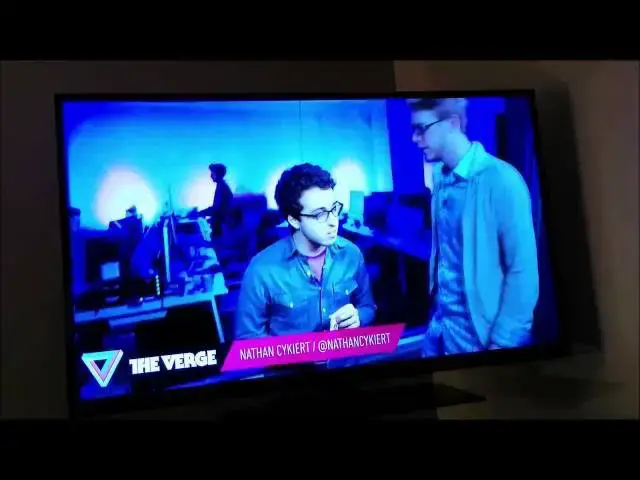
In this video I put the HP Chromebook 14, Acer C720P, and the Samsung Series 3 Chromebook to the test as I use each one to cast different media to the ever-expanding and highly usable Chromecast.
Find out how the different processors and RAM configurations change these devices' abilities to stream media.
Show More Show Less View Video Transcript
0:00
hey folks Robbie Pay Here Again with
0:02
chrome unboxed and today we are going to
0:05
take a look at three different
0:07
Chromebooks abilities to cast tabs to
0:11
the chomecast
0:12
the reason I'm going to do this is a
0:15
because I've gotten quite a few requests
0:16
between the three and um also cuz I'm a
0:19
little bit curious myself um as we all
0:23
know the ability for the chomecast to
0:26
actually cast a tab um relies heavily on
0:30
on the processing power of the device
0:32
casting that tab so whether it's coming
0:34
from a Macbook or a Windows uh PC or a
0:39
Chromebook uh the processor is tasked
0:42
with actually U manipulating that data
0:44
and sending it to the chomecast now with
0:47
things like YouTube Hulu Netflix those
0:49
types of things once you've started that
0:52
um started that video and then cast that
0:54
video from that particular uh web
0:57
application uh the chomecast takes over
1:00
and nothing is relying on the device
1:02
itself but with casting a tab the that's
1:05
a very different thing and so uh it's
1:07
actually going to give us a good idea of
1:09
the uh just the raw processing power
1:11
between the three of these guys so I
1:13
wanted to show you all three of these in
1:14
this shot so that when we switch to the
1:16
television you can just trust me that
1:18
I'm telling you the truth that I'm
1:20
actually using three different devices
1:22
to cast up uh the same video and we'll
1:24
see how all three of these guys fair in
1:27
the video all right so we have our
1:28
chomecast here and and I'm just going to
1:30
kind of do these in order um the best
1:33
performer I've found so far when casting
1:35
anything uh is the HP Chromebook 14 I
1:39
think that's due to the Haswell
1:41
processor paired with the 4 gigs of RAM
1:43
so like I said this is a relatively
1:46
intense operation uh for Chromebook for
1:49
any computer for that matter um I
1:51
actually had an
1:53
Asus um I can't remember the the Q200E
1:57
there's an I last year's I3 processor
1:59
pair paed with 4 gigs of RAM and that
2:02
device uh could not um actually handle
2:06
any kind of full motion video you could
2:09
do uh 480p standard definition and it it
2:12
did an okay job um but it still wasn't
2:15
even watchable the the frames jumped
2:16
around so much so what we're going to
2:19
see um Chromebook 14 this is uh the
2:22
Verge I'm just kind of using that as a
2:26
um a template for all these we got some
2:29
video
2:30
and we have some pretty pretty hefty
2:32
stuff so quick scroll here you see a
2:36
little bit of artifacting there as it's
2:37
kind of having to process the page but
2:40
it quickly resolves and so browsing is
2:43
definitely not a problem so if you're
2:45
showing uh a presentation or something
2:48
like that with one of these uh I mean
2:50
people that are in the PowerPoint really
2:51
want to have dual monitors and stuff
2:53
this is probably not going to be for you
2:55
uh but if you had something where you
2:56
could set up um Google Slides or there's
2:58
a couple other different web
3:00
applications for uh PowerPoint
3:02
presentations that you know those things
3:04
would be just fine um as long as you
3:06
were able to uh kind of manipulate the
3:09
television when you turn it on and off
3:11
and maybe create a blank slide to start
3:13
that with so um we will start embedded
3:16
video here real quick because if you
3:19
were to do this Say on YouTube for
3:20
instance as soon as I click play
3:22
techology has captured the imagination
3:24
of Our Generation as soon as I click
3:26
play um it's actually going to kick over
3:28
and begin
3:30
um um streaming via the chomecast so the
3:33
chomecast would take over um the stuff
3:36
there so definitely not something we
3:38
want to uh we're trying to do here I'm
3:40
trying to cast the tab completely
3:52
so so once it got loaded um video's nice
3:56
and smooth that that slight pan that's
3:57
going on right there we're not seeing
3:58
any jitters
4:11
pretty good uh pretty good here I do
4:13
want to check my settings real
4:22
quick yeah that's actually pushing at
4:24
720p um that's pretty impressive um let
4:29
me drop it down to 480 uh which is a
4:32
whole lot less intensive on the
4:34
processor
4:37
um and I don't know if you can tell on
4:38
the
4:43
video going to refresh this page real
4:50
quick and yeah I mean it's a noticeable
4:53
like small text over there on the right
4:55
um in this in that gray area over here
4:57
where that's being highlighted uh it's
4:59
Prett pretty tough to read at
5:00
480p
5:02
um so take it with a grain of salt we'll
5:05
click this video
5:20
again definitely plenty smooth at 40p
5:23
and at that size and a small window it's
5:25
no big deal uh but once we expand this
5:28
guy out
5:31
let it kind of catch up there
5:34
um you see it's pretty
5:47
grainy so I I don't see a whole lot of
5:49
trade-off here as far as performance
5:50
it's not like the 720 was was hurting um
5:55
so one last thing let me flip this back
5:57
over to 720 now there 720 and then 720
6:00
High bit rate you get into the high bit
6:02
rate yes you do run into some issues um
6:05
anytime you stream High bit rate stuff
6:07
over any network you're going to run
6:09
into some issues so this is back to the
6:11
720p Let's Go full screen with
6:17
this and you see uh video looks actually
6:20
really good um all these these painting
6:23
shots and Tech videos are great for
6:25
really really checking out frame rates
6:27
cuz when things are moving really
6:28
quickly it's hard to tell frame rates
6:30
are dropping but when things are
6:31
painting nice and smooth uh it's pretty
6:34
easy to tell um whether or not you're
6:37
jumping and as you see that kind of pan
6:39
real slow it's real nice and
6:58
smooth
7:04
so pretty well done there um and we're
7:06
going to come back through the other
7:07
test I'm going to do is actually with a
7:08
local file um for those of you who don't
7:11
know you can simply from your uh from
7:14
your file browser you can actually drag
7:16
uh a video file right into um right into
7:21
u a browser window and it'll just play
7:24
uh Chrome can actually convert and play
7:26
quite a few different video types so if
7:28
you don't know if whether do or not the
7:29
best thing to do is just drag that file
7:31
into an empty Chrome window and see if
7:33
it'll start playing it'll play music
7:35
files and all kinds of things so um
7:37
those things are worth are worth casting
7:39
as well we'll do that kind of in round
7:40
two um so we're going to take the HP off
7:46
stop casting give him a break and then
7:48
my next one I'm basically kind of moving
7:50
down the line here so the next one is
7:53
the Acer C720 uh if you haven't watched
7:56
my full review uh check it out I have a
7:58
full review with HP p14 and full review
8:00
of the Acer C720 I've got I've got head
8:03
to heads between the two of them um I've
8:05
got a review of the C720 and the
8:07
c720p um so just uh subscribe to the
8:10
channel check out all the videos you can
8:12
see kind of what my thoughts are on each
8:14
one the c720p for those of you who
8:16
haven't watched those yet U it it's it's
8:19
I don't want to say downfall but the the
8:21
step down from the
8:23
hp14 is it the Acer c720p that I have in
8:27
my possession and from what I understand
8:29
I don't know that there's a 4 gig one
8:30
out yet only has 2 gigs of RAM and that
8:33
doesn't sound like a huge deal but it
8:35
can be a big deal when it comes to
8:37
heavier processing needs and as you'll
8:39
see in the review if you take a look at
8:40
that um you'll actually see some of the
8:43
problems that it has when you get into
8:44
opening multiple tabs and multiple
8:46
things going on that are really kind of
8:47
stealing away some of that memory and so
8:50
we are going to cast this guy I'm going
8:52
to make
8:54
sure that go in
8:58
there and and this one's also at 720p
9:01
and so uh after jumping to 480p on the
9:03
HP I I don't even see a point in doing
9:05
it if one of these struggles we may drop
9:07
it to 480 and just to check to see what
9:09
it does so let's check scrolling
9:13
smooth big
9:16
scroll so yeah little artifacting but it
9:18
catches up pretty quick so very similar
9:20
to the HP uh which is not shocking same
9:23
processor so let's start this
9:28
video
9:38
looking good
9:40
um let's go and blow it up full
9:45
screen it takes a second anytime you
9:47
make pretty big changes like blowing
9:49
something up full screen or something
9:50
like that you're going to get some
9:51
Jitters at the
9:56
beginning cuz keep in mind we are
9:59
actually we're streaming and pushing
10:03
this at the same time so it's really
10:04
pushing the processor quite a bit so we
10:07
we'll kind of chill out and watch some
10:08
of these frame
10:12
rates frame rates look a bit lower I
10:15
mean we're just a little
10:20
bit and this is the second one in a row
10:22
now I've had issues that where the
10:24
voices aren't lining up the first time I
10:26
stream cast it with the HP it worked but
10:29
every other time I took it off and went
10:31
back with the HP it was doing the same
10:33
thing a slight alteration in the U the
10:37
the sound on the screen matching uh but
10:40
overall the video
10:43
quality looks pretty good I mean I'm not
10:46
really I'm not complaining of
10:49
anything as I said you got to consider
10:51
we're streaming video here so the
10:54
processor is dealing with a streamed
10:56
video and dealing with getting it going
10:58
and then turning around having to
10:59
reprocess that and push it to the
11:01
chomecast
11:02
so you're really talking about some
11:04
serious stuff going on um so kudos to
11:08
the Haswell
11:10
processor pretty good pretty well done
11:12
there
11:14
um so we'll give
11:16
the go and give the Acer a
11:27
rest hey and last but not least this may
11:30
not be a shop at all um I want everyone
11:33
to keep in mind again if you haven't
11:34
watched reviews if you haven't checked
11:36
out what's going on uh basically the um
11:40
the internals of the Samsung Chromebook
11:42
that is still I think the number one
11:43
selling Chromebook uh online right now
11:46
um and the hp11 the internals are the
11:49
exact same now the hp11 really stepped
11:51
up the bar and build quality on the
11:52
outside but literally change nothing
11:54
about the inside so what you're looking
11:56
at is the 5250 exos processor by Samsung
12:00
has a dual core chipset uh I want to say
12:03
a a22 cortex I think I'm unsure I don't
12:08
have that data right in front of me um
12:11
but it it was a fast chip set same thing
12:13
that's in the Nexus 10 um as well and so
12:15
that paired with 2 gigs of RAM 16 gig
12:17
solid state internal drive same exact
12:19
stuff on hp11 so even though you may not
12:22
be looking at the Samsung Chromebook
12:23
right now you might be looking at hp11
12:25
so the the performance you see in this
12:27
particular test will be the exact same
12:30
literally uh the exact same as what you
12:32
would see on the uh Chromebook 11 from
12:36
HP
12:38
so we'll do the same thing we're going
12:41
to cast this tab same page and
12:43
unfortunately I'm going to cast the same
12:45
video so you're going hear that guy talk
12:46
about the same stuff again I apologize
12:49
for
12:50
that and you can tell it's even taking
12:52
it a little bit longer to kind of get uh
12:55
get the cast
12:57
going
13:00
if it's going to go at
13:14
all there we
13:19
go all right so we'll do a small
13:27
scroll and
13:30
scroll definitely tell a bit the the
13:33
frame rates are not near what they are
13:35
with the Haswell processor um shouldn't
13:37
be surprising to anybody who's used uh
13:39
the arm
13:43
Chromebook and let me check to make sure
13:46
we're pushing
13:47
720p um the extension will give you a
13:52
warning okay this is pushing the 480p so
13:55
I'm going to go and let it let it do its
13:57
thing here um at 480p first and then
14:01
we'll kick it up to 720 in the
14:03
second and you see right now even at
14:06
480p it's
14:08
struggling um and again as I said before
14:11
you're asking a lot of a processor to do
14:14
this um and this is kind of what I
14:18
expected the ad's going to drop out and
14:20
I'm getting the warning now on
14:22
my featurel economy um that I don't need
14:26
to be doing this basically
14:31
and so um you'll see that a lot now
14:33
technically C tab casting is in beta and
14:35
they're also working on being able to
14:37
cast your desktop as well and so I'm
14:39
sure all these things are going to come
14:40
down the line if you haven't used it yet
14:42
there's a a device or a an app for
14:45
Android called Avia
14:47
Avia allows you to uh and I think Plex
14:50
will do the same thing Plex has a
14:52
monthly fee like three bucks or
14:53
something but both of those apps will
14:55
allow you to have local content on your
14:58
device and stream them to uh straight to
15:00
the chomecast and I got to say as long
15:02
as it's not a super high bit rate file
15:04
I've watched some full length movies
15:05
using uh Ava or AA or however you
15:08
pronounce it from my Nexus 7 and it has
15:10
been phenomenal so the chomecast
15:12
definitely has the ability to accept
15:14
local content and stream it at at at
15:17
really high quality so it really is a
15:19
matter of whether the device itself has
15:21
the processing uh Power to do it and
15:23
honestly the Nexus 7 uh you know has
15:26
good eternals but you know it's an S4
15:28
Pro Pro which is kind of like the the
15:31
Snapdragon 600 U which is no slouch by
15:33
any by any stretch of the imagination
15:35
but it's not the most powerful processor
15:37
in the world and it it just uh knocks it
15:40
out whenever you stream video over that
15:43
device um all right we're going to take
15:46
uh a quick break uh I'm going to come
15:48
right back and we're actually going to
15:50
use the uh devices to to cast a local
15:54
file from the Chromebook so that's going
15:55
to take a little load off the processors
15:57
on each one we'll see what kind of
15:59
quality we can get out of those okay
16:00
guys I'm back I had to download a a file
16:02
to show you I do want to show you really
16:04
quickly how to go about playing back
16:06
local media so I'm just going to slide
16:08
this in front of here so I don't have to
16:09
move my camera so you can see I've got a
16:11
chrome window up and I've got um just
16:13
the file browser all you have to do is
16:15
grab the file drag it into the Chrome
16:18
window and drop it okay so I wanted to
16:21
show you that I'm going to pause this
16:22
real quick and we're going to cast it up
16:25
so this is actually a 720 excuse me uh
16:28
this is a 720p video uh for the new the
16:32
trailer for The Jack Ryan agent movie
16:37
um and so this is the Chromebooks
16:40
ability to play
16:42
720p High
16:44
defish not full high def but high
16:47
definition over the chomecast playing
16:49
local localized content so now the the
16:53
device isn't happen to deal with um
16:56
actually streaming the video it's
16:57
playing it straight from its Drive so we
16:59
will watch this and see how it
17:08
goes this quarterback kind a
17:13
situation somebody's trying to kill
17:15
[Music]
17:27
me work okay uh
17:33
yeah you know you sold this as an office
17:35
job why don't you sit down now talk me
17:38
through your very scary
17:40
scenario keep in mind I don't have your
17:44
PhD Tokyo London the United States it's
17:48
going to be a wide battle we'll never
17:50
see it coming you're not just an an
17:52
anymore they're operational
17:56
now ja I have to go to Moscow why don't
18:00
you want me to come because I be working
18:01
the whole
18:03
time okay
18:05
so that one did okay um honestly some of
18:09
the streaming stuff we were doing looked
18:10
a little better earlier to be completely
18:12
honest with you um and again I'm I'm at
18:16
a place with a public uh it's a really
18:19
good router but I am a couple rooms away
18:21
from that router so that can that can
18:24
tend to have a little problem uh
18:25
especially when you're doing this stuff
18:26
too if you're home you probably want to
18:28
be near your router when you're doing
18:30
this kind of stuff if you're going to be
18:31
casting video in this way so this next
18:36
one
18:42
is this one is from the Acer
18:44
[Music]
18:46
c720p oh wait sorry that's the that's
18:50
the website excuse me a
18:55
second and again I'm doing the same
18:57
thing here just dragging that file into
18:59
a Chrome browser window and letting it
19:03
play get that cast
19:16
[Music]
19:18
in definitely sound is not lining up at
19:21
all here so we got stop casting
19:26
her and let me cast it first and then
19:28
start play
19:39
back okay now let's try
19:45
back jack work okay uh yeah yeah we're
19:50
getting some
19:51
pretty
19:54
poor audio alignment now talk me through
19:57
your very scary
19:59
scenario keep in mind I don't have your
20:03
PhD Tokyo London United States it's
20:06
going to be a wide batt we'll never see
20:09
it coming you're not just an analist
20:11
anymore you're operational
20:16
now I have to go to Moscow why don't you
20:19
want me to come because I be working the
20:20
whole time um frame R are okay here over
20:24
there just out of curiosity I'm going to
20:26
try something Americans like of your Sal
20:28
as direct perhaps you are
20:31
just um I found that usually it seems
20:35
like
20:36
um streaming stuff is good so I'm going
20:38
to go to the exact same side where that
20:40
came from so
20:49
see credit going to HD trailers. net
20:54
for supplying me with this
20:57
stuff so I'm actually going to stream it
20:59
right from them and uh see if we get a
21:06
different different result
21:15
here see how it
21:17
goes this back a
21:22
situation pretty crummy right now see if
21:25
it catches
21:27
up
21:29
[Music]
21:37
jack work okay
21:40
uh yeah at least the audio is lining up
21:43
better you sold this as off
21:46
this and and I would assume different
21:49
files are going to work different ways
21:50
so um you know there's so many different
21:54
encryption types and there's different
21:55
ways to compile data when it comes to
21:57
video and so there's going to be certain
21:59
videos I've watched certain ones where
22:00
I've cast them and it's just been
22:01
perfect I've watched ones where I
22:02
couldn't get the audio to line up or the
22:04
video jumped around I don't think that's
22:06
a change in the Chromebook itself but
22:08
Chrome's ability to deal with video I'm
22:11
sure you could probably go look on
22:12
Chrome some about pages and figure out
22:14
because this is actually turning out now
22:16
that it's kind of caught up looks good
22:17
frame rates are good audio is lined up
22:20
and so it's actually doing a better job
22:21
streaming and casting than it was doing
22:24
with local file so whatever the file was
22:26
and the type of file that downloaded
22:28
from this um apparently Chrome didn't
22:31
like it quite as much as it likes
22:33
probably this embedded Flash Player or
22:35
something similar too so uh keep those
22:37
things in mind I mean it's it's worth
22:39
trying U multiple Avenues uh before
22:43
giving up on casting a tab last but not
22:46
least we're going to go with the arm
22:48
Chromebook um and every time I pick up
22:50
this little Samsung um I do enjoy the
22:53
way uh Samsung went about making it's
22:55
very unique I'm looking very forward
22:57
forward um to the of rumored uh followup
23:01
to this device um for those of you who
23:04
have not heard supposedly uh it's going
23:06
to have the octacore big little
23:08
processor in it 3 gigs of RAM and then
23:11
basically the 136 or I'm sorry uh 1280 x
23:14
720 display just double those pixels so
23:16
uh what is that or 2560 by 1440 display
23:21
so we're talking a nice nice high
23:23
definition display they're talking in
23:25
the realm of 12 in 12 to 13in display
23:28
the octacore and 3 gigs of RAM so um I
23:31
would love to see an arm core I I root
23:33
for arm I really I I love mobile
23:35
processors um uh it's just been really
23:38
frustrating between this and the hp11 um
23:40
so I would love to see an RM core just
23:42
come in and just knock it out of the
23:44
park do everything really well have an
23:46
awesome display no fans crazy battery
23:48
life uh I'm really rooting for that
23:50
device uh we'll see we'll see if that
23:52
pans out so let's do um we'll try both
23:56
of them on this guy as well real quick
24:05
um and I'm going to the exact same site
24:07
again um we'll do the
24:10
same the same video as well so we're
24:13
keeping things at least a little
24:15
scientific
24:22
here and just for reference I am I am
24:24
streaming these at
24:26
720P
24:37
let's cast it don't have real high hopes
24:40
for how this is going to
24:44
go and keep in mind we're only doing
24:46
this at 480 on the Samsung which again
24:50
it's watchable it's not like it's
24:51
terrible you got to think of a regular
24:53
old DVD
24:56
um it's not even going let me look like
24:59
it's going to let me cast
25:02
it try one more time see if I get it to
25:13
go there we
25:17
go let's just see what
25:26
happens
25:28
kick me back
25:32
off
25:33
so
25:35
yeah suppose the moral of the story is
25:38
if you're wanting to have the ability to
25:40
cast tabs via chomecast the arm
25:43
processing Chromebooks probably aren't
25:45
for you um I've not had any luck getting
25:48
it to happen at all pretty much with
25:50
with that cuz um when I first got the
25:52
chomecast I had not got my hands on a
25:54
Haswell class uh Chromebook yet and so
25:57
so um there was no luck with that I
25:59
didn't actually have high hopes for the
26:00
Haswell ones either um and they've
26:02
really surprised me with their ability
26:04
to to stream video they do a pretty good
26:06
job as the Chrome the chomecast library
26:09
of applications expands and expands and
26:11
expands the need for this is going to be
26:13
less and less and less um other than
26:15
doing some sort of presentation but for
26:18
right now it kind of can fill the gap
26:19
for you as I said uh an Android device a
26:22
tablet um with that Ava app um really
26:26
fits the bill if if just streaming some
26:28
movies and throwing some movies up on
26:30
your television is kind of what you're
26:31
wanting to get uh get done but the
26:34
Chromebooks the hasel base Chromebooks
26:36
can do that as we've seen um you're
26:38
probably just going to have issues here
26:40
and there again um so hopefully this
26:43
will help some of you all make a
26:44
decision um on on what Chromebook you're
26:47
going to get or hold out for um
26:50
hopefully it's been informative and uh
26:52
again if you like videos videos like
26:53
this please subscribe to the channel uh
26:55
give me a thumbs up down there and also
26:57
check out Chrome unbox dcom uh website
27:01
that covers basically everything Chrome
27:03
related so uh whether that be news or
27:06
new hardware or anything that has to do
27:07
with Chrome and Chrome OS in general uh
27:10
we cover there so hope to see you there
27:12
hope to see you back for the next video
27:14
have a good one thanks
#Consumer Electronics
#TV & Video Equipment
#Media Streaming Devices