Up next in 10



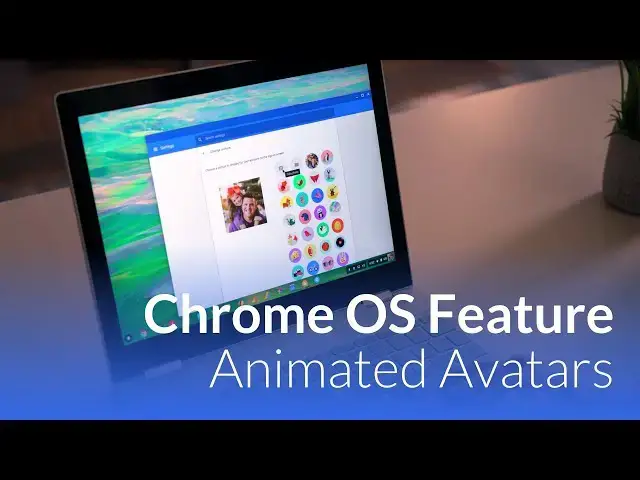
Just a quick video to showcase one of Chrome OS' fun new features: Animated Avatars. It's easy, fun, and a great addition to the OS.
Show More Show Less View Video Transcript
0:00
[Music]
0:08
hey folks probably paying with croman
0:10
box and today we're gonna take a quick
0:12
look at one of the cool new features
0:13
that came with Chrome OS 65 and that is
0:16
the ability to actually record a quick
0:18
looping jiff as your profile pic it's
0:21
really really simple to do and it sounds
0:24
like something that's not that big of a
0:25
deal but as we started messing with it
0:27
we found it was really really fun and
0:29
wanted to show you how to get to that
0:30
point to do it and give you an example
0:33
here on camera alright so this is real
0:35
simple to get to just click on your tray
0:36
and go to your settings you can't
0:38
actually click your profile up here
0:39
which hopefully one day it'll just link
0:41
that up but you'll see your picture here
0:43
once you click on it you get met with
0:45
the options that have been here for a
0:46
little while so these little origami
0:47
kind of things creatures footballs all
0:50
that stuff you can pick a file from your
0:53
file manager you can choose your Google
0:55
profile that you have logged in we're
0:57
going to take a photo which you've been
0:58
able to take for a long time so normally
1:01
this little circles right here you take
1:02
the photo boom there's your profile
1:05
photo that's terrible-looking
1:07
but what they've added now is in the
1:09
camera you can click video right here
1:11
and now you can record a jiff now as you
1:17
can see it goes quite a bit faster than
1:19
the way you recorded it so if I wanted
1:20
what I did into the camera to actually
1:23
look that way you want to kind of do it
1:24
it maybe like half speed or something
1:26
like that so there you go
1:31
it's really simple and what's funny is
1:34
montano that is mind boggling or
1:37
anything we've seen boomerang on
1:38
Instagram or stuff like that but it as
1:40
you go to your profile photo it actually
1:42
becomes kind of fun to grab other
1:44
objects and and pull things in so
1:47
[Music]
1:49
things like spin or we can pull him up
1:53
into the frame they'll repeat over and
1:57
over again and the cool part is once
1:59
you've got it set it gives you a still
2:01
down here in your menu you know four so
2:05
it's not sitting there trying to animate
2:07
a jiff all the time but when you're at
2:08
your lock screen now every time you open
2:11
your Chromebook up you're gonna see this
2:13
and if you find something funny you're
2:15
coming in and out of frame or we've done
2:17
stuff for multiple peoples heads pop
2:18
into the frame eventually it's something
2:20
that's fun every time you come to your
2:22
Chromebook and go to unlock it and you
2:24
see that again it can kind of make you
2:26
giggle and so it's a really fun feature
2:27
that they've added I'm glad it's
2:28
something they've added and hopefully if
2:31
you've not messed with it this is
2:32
something fun you can do with your
2:33
Chromebook guys if you like this video
2:35
give it a thumbs up subscribe below
2:37
and until next time we'll see
2:40
[Music]
#Online Media
#Software