Up next in 10



Sponsored by NordVPN. For a limited time, grab the 3-year plan with 70% off! Click here: Click here: https://chromeunboxed.com/nordvpn
See our picks for best Chromebooks of 2020 so far on Chrome Shop: https://chrmshop.com/
・・・・・・・
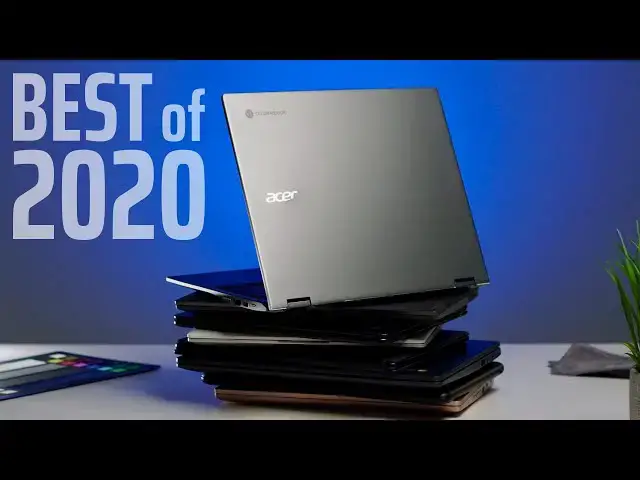
In what is now becoming a semi-annual event around here, the time has come once again to name our favorite Chromebooks of 2020 so far. We like doing this twice a year for some pretty obvious reasons and dead-center in the calendar usually lands us in a place where the first wave of Chrome OS devices has landed and we’re in a holding pattern for new devices until the fall. That’s not been exactly the case here in 2020 due to the pandemic, but we’re still at a great point in the year to talk about the best Chromebooks on offer right now before any further new, notable releases happen.
Read more: https://chromeunboxed.com/the-best-chromebooks-of-2020-so-far/
Join our newsletter: http://bit.ly/2WjCDm7
・・・・・・・
Subscribe to the channel: http://bit.ly/2xFuj6L
The Music We Use - PERFECT for YouTube: http://bit.ly/31W6PYP
Become a member of Chrome Unboxed to help us make our channel even better, and for access to exclusive perks: http://bit.ly/CU-join
Follow us:
Show More Show Less View Video Transcript
0:00
it's crazy but just like that we are
0:02
halfway through 2020 and here at the
0:04
midpoint of the year we want to take a
0:06
moment and kind of reflect back on all
0:08
the Chromebooks that have been released
0:09
and have shown up and help you all make
0:12
a purchasing decision at this point in
0:14
2020 and let you know which are the best
0:16
Chromebooks for you to buy right now
0:19
[Music]
0:22
today's video is brought to you by Nord
0:24
VPN another VPN of choice for millions
0:26
of users users of Chromebooks - because
0:29
they're awesome at what they do and
0:30
that's keeping your browsing safe and
0:32
secure when you're at home or out and
0:33
about on the go if you'd like to learn
0:35
more about them and their services head
0:37
over to Chrome inbox comm for it slash
0:38
Nord VPN and you can learn more and get
0:40
started today you came here for
0:42
Chromebooks and you came here to
0:44
probably figure out which one in your
0:46
price range is the best one for you to
0:47
buy so we're not gonna spend a whole lot
0:49
of time setting all this up and we're
0:50
going to get right to those devices but
0:52
I wanted to let you know how we'll go
0:54
about doing this so we have three price
0:56
brackets we're gonna break everything up
0:57
you can call those whatever you decide
0:58
to call them whether for us it's kind of
1:01
low in mid-range and high range but
1:03
we're going 0 to $299 first and then
1:06
we'll move on to three hundred to six
1:09
hundred and forty nine dollars second
1:10
kind of that mid-range section and then
1:12
we'll talk up a range so anything that's
1:14
650 plus once we kind of lay out these
1:17
Chromebooks we'll pick a winner in each
1:19
category that we think is the best
1:21
version of a Chromebook you can get in
1:22
that sector but we want to throw out a
1:24
few other ideas for you because not
1:26
every Chromebooks perfect for everyone
1:27
so we're going to give you a couple
1:29
honorable mentions and then tell you hey
1:31
we think this is the best Chromebook in
1:32
this price range so let's get started so
1:34
first up in the 0 to $2.99 category is
1:37
the Lenovo Chromebook 3 and as you'll
1:40
hear throughout this section all of
1:42
these devices are actually Lenovo
1:44
because they're killing it in the
1:45
low-end Chromebook space and this one is
1:48
as affordable as they come it starts at
1:50
$169 brand-new it's all plastic but it's
1:53
got a good keyboard and trackpad and you
1:55
know not so great screen it's powered by
1:58
a gym and I like processor and you're
1:59
getting kind of the minimal internals
2:01
here at 4 gigs of ram and 32 gigs of
2:03
storage but it's a decent device and at
2:05
a price like that you don't really
2:07
expect to get very much and it's a great
2:09
Chromebook for that price point the next
2:10
one we're going to talk about is the
2:12
Lenovo
2:13
3:40 so this is the follow-up to the s
2:15
330 that was out last year and same kind
2:18
of idea here it's a 14-inch device it
2:20
comes in a standard HD and a full HD
2:22
version Full HD screens a little nicer
2:24
but same idea here all plastic build
2:27
decent keyboard decent trackpad just a
2:29
little more space to work on and a
2:31
little bit better build quality here
2:33
from Lenovo following that is the Lenovo
2:35
C 340 and by all means this is probably
2:38
like the favorite affordable Chromebook
2:41
out there right now the benefits of this
2:43
one is you get a aluminum lid on this
2:45
you have an IPS touchscreen on it again
2:49
decent keyboard decent trackpad and
2:50
those same kind of Gemini like internals
2:53
so there's nothing different there about
2:54
it you're just getting a little bit
2:56
better build quality it's a 360 degree
2:58
hinge as well so there's some extra
3:00
benefits to getting the EC 340 but the
3:02
definite winner in this category is the
3:05
highly anticipated much-sought-after
3:07
Lenovo Chromebook duet and it would take
3:11
us a while to list all the things that
3:12
this Chromebook does that are unique but
3:14
it's detachable it is a tablet and it
3:16
feels great as a tablet it's nice and
3:18
light it has the keyboard in the Box
3:20
it's usi stylus compatible it's got a
3:22
gorgeous screen and sure the internals
3:24
are a little bit slow but it runs
3:25
Android apps really well and you get 128
3:28
gigs of storage for $2.99 and even the
3:31
base level model comes with 64 gigs of
3:33
internal storage so lenovo has crushed
3:35
it honestly in this whole segment but
3:37
really with the duet they've done
3:38
something that's quite unique in
3:40
building a tablet a Chrome OS tablet
3:42
that universally people seem to really
3:45
like and it's finally becoming available
3:47
and you don't have to wait for sale
3:48
prices it's $2.99 out the door with 128
3:51
gigs of storage it is easily the winner
3:53
in this category if you're looking for a
3:54
cheaper device a cheaper Chromebook and
3:56
don't mind a little bit smaller of a
3:58
screen it's definitely our favorite sub
4:00
$300 Chromebook next up is what we feel
4:02
like it's kind of a sweet spot of
4:03
Chromebook still and we did a video like
4:06
this a year ago and I said that I still
4:08
feel that that is the case so anywhere
4:10
between three hundred and six hundred
4:11
and forty-nine dollars I think you can
4:13
find pretty much any Chromebook you want
4:15
if you're willing to spend a little bit
4:16
more money because when we're going to
4:18
talk about those upper level ones here
4:19
in a little bit because a lot of people
4:21
that don't want to spend that much money
4:22
on a Chromebook but this is kind of that
4:24
sweet spot where people really like to
4:25
find great
4:26
features great bill quality and really
4:29
good bang for your buck so the first one
4:30
in this category is a device that wasn't
4:33
MSR peed into this category originally
4:35
but it's been marked down it's not
4:38
really on sale anymore it is just marked
4:40
down permanently into this price range
4:41
and that is the pixel slate and they'll
4:43
have been a little bit hard on the slate
4:45
over the course of the time it's been
4:47
available it's still a well-built
4:49
premium piece of hardware it's got fast
4:51
processors it's got a gorgeous screen
4:53
it's got awesome speakers and you know a
4:55
lot of times now you can find deals
4:57
where the keyboard is included in that
4:59
bundle and so for you know five to six
5:01
hundred bucks you can get a really nice
5:02
Chromebook built by Google that does a
5:05
lot of great things and it's still
5:07
relatively affordable the next one is
5:09
the pixel book go and I will say that
5:11
this and the next two that we're going
5:12
to talk about are just kind of
5:13
neck-and-neck
5:14
and so you could easily almost put this
5:17
one on top it's at the top level of the
5:19
price range here so the entry-level
5:20
model of the pixel book go with the core
5:22
m3 eight gigs of ram 64 gigs of storage
5:24
is 649 so it's barely in this category
5:28
but it does still feel like a mid-range
5:29
type Chromebook with all kinds of
5:31
high-end stuff great speakers fantastic
5:33
backlit keyboard quiet it's just one of
5:36
the best you'll type on a glass trackpad
5:38
beautiful screen firm build quality and
5:41
just a very unique aesthetic and overall
5:43
just a fantastic overall Chromebook
5:46
experience from Google and it's just
5:49
easy to put on these lists I'm glad it's
5:50
at least down enough to get into this
5:52
mid-range list because it's one I think
5:54
most people will love next on the list
5:56
is the recently released lenovo
5:58
chromebook flex 5 and this thing is just
6:02
a marvel of all kinds of features for a
6:05
very low price 409 dollars right now is
6:08
which you can go buy this Chromebook for
6:10
and it's not on sale or anything that's
6:12
like it's normal price and we're talking
6:14
core i3 4 gigs of ram 128 gigs of
6:17
internal storage 1080p display that's
6:19
nice and bright and colorful a great
6:21
keyboard it's backlit it's got Wi-Fi 6
6:24
and bluetooth 5 and great i/o and
6:27
aluminum build quality and it's
6:28
convertible and us high stylus can
6:30
paddle mean the list goes on and on of
6:32
the features that this thing brings to
6:33
the table and for that price I mean it's
6:35
ridiculous it sits toe-to-toe with the
6:38
pixel bogo that we just
6:40
and it's almost you know 240 dollars
6:42
cheaper it's crazy what Lenovo is done
6:45
at this price point and so it has to go
6:47
on the list and if we weren't for the
6:49
other Chromebook that we're gonna
6:50
mention here it would easily be the
6:51
winner in this category finally the
6:53
winner in the mid-range 300 to $650
6:57
category is the Acer Chromebook spin 713
7:00
and there's a reason for that I mean
7:03
this one is again it's in the upper part
7:04
of that that category because it's 629
7:07
for this model that we have right here
7:08
but listen to the specs Core i5 eight
7:11
gigs of ram 128 gig nvme SSD a quad HD 3
7:16
by 2 super bright and colorful IPS
7:19
touchscreen backlit keys gorilla glass
7:23
trackpad convertible form-factor usi
7:26
stylus and put Wi-Fi six Bluetooth five
7:28
all of it I mean this thing absolutely
7:30
knocks it out of the park for $629 this
7:34
is an easy recommend in this price
7:36
category right now it is by far my
7:38
favorite Chromebook experience you can
7:40
get finally we move on to the $650 plus
7:43
category and honestly these devices are
7:45
becoming a bit scarce because great
7:48
devices like the Flex 5 and the spin 7
7:51
13 exist and they exist in that four to
7:55
$650 price category and that makes it
7:58
difficult to make and sell devices that
8:01
are $1000 but they do exist and they do
8:04
have some perks so let's go through them
8:06
so first up in this category I want to
8:07
mention the upper configurations of the
8:10
device that won the category before and
8:12
the reason I put it at the bottom of
8:13
this is not because they're not going to
8:15
be good they're gonna be great but I
8:16
only think that you need to pay upper
8:18
dollars for more specs if you absolutely
8:21
need it for something specific so if
8:23
you're doing Android development or are
8:24
you doing a bunch of linux stuff on
8:26
these things and sure maybe you need 16
8:28
gigs of ram or 256 gigs of nvme storage
8:31
most people though and I'm talking like
8:33
98 99 % of people that are looking at
8:36
this device should go with the $629
8:39
config it is more Chromebook than most
8:40
people are going to need but do know
8:42
that there are higher configurations
8:44
that are going to be available that are
8:46
already available of this device they're
8:48
expensive but they're there if you need
8:49
them the same holds true for the upper
8:51
models of the pix
8:52
but go and I say that because there are
8:55
core i5 versions and core i7 versions
8:57
that go anywhere from 800 to $1,400 for
9:01
the pixel book go and while some people
9:02
might need all of those extra specs most
9:04
people don't and most people are going
9:06
to do well with just the entry-level
9:07
model just like they would with the spin
9:09
7:13 so while we would recommend that
9:12
model that falls into the mid-range
9:14
category just know that these are
9:16
available if you need those in that
9:18
particular model next up in this
9:19
honorable mention category is the Asus
9:21
Chromebook flip C 436 and while I didn't
9:24
fallen over that Chromebook when we
9:26
reviewed it it is pretty powerful and it
9:29
brings a lot of cool stuff to the table
9:30
backlit keyboard glass trackpad Wi-Fi 6
9:34
Bluetooth 5 USI stylus support 14 inch
9:37
form factor super thin bezels a decently
9:39
bright screen convertible form factor
9:41
super thin it's just a ton of stuff it
9:43
has and for some people the aesthetic of
9:45
it the look of it and maybe you like
9:47
Asus as a brand that's something you
9:49
might want to go for and the core i3
9:51
version comes in around 800 bucks and
9:53
the core i5 version that I think is
9:55
still yet to come out will eventually be
9:57
available for around $1000 with enhanced
9:59
storage and higher RAM and while it's
10:02
not the device that we would recommend
10:04
you go get in this price bracket there
10:06
are a lot of people that do like it and
10:07
do like the look of it so it's there if
10:09
you need it finally the winner in this
10:11
category easily goes to the samsung
10:13
galaxy Chromebook and if we put the
10:15
battery life thing aside Samsung is
10:17
saying they're working and trying to
10:18
figure out a fix to extend that battery
10:19
life it only gets like 4 to 5 hours you
10:22
put that aside
10:22
it literally is superlative in every
10:25
other facet whether you talk about
10:26
screen are you talking about trackpad or
10:28
keyboard or performance anything it's
10:31
probably the best or near the top of the
10:33
best at all of those things and it's
10:36
super thin it's super light and
10:37
ultimately just exudes a level of
10:40
quality and build and fit and finish
10:42
that we just don't see on many
10:44
Chromebooks and so if you're just after
10:46
that thing that just looks amazing
10:48
especially the red one and what that
10:50
just high-end build quality and that 4k
10:53
AMOLED gorgeous display and you just her
10:55
after the best of the best in the
10:57
Chromebook world it's pretty easy to see
11:00
right now
11:00
Samsung holds that title so there you
11:02
have it our favorite Chromebooks right
11:04
now is at this point in 2020
11:06
we say so far in 2020 because by the end
11:08
of this year we're gonna see quite a few
11:10
more Chromebooks come out we know of
11:12
some of them some of them have been
11:13
announced already and just aren't
11:15
available yet and we know and we're
11:17
tracking some devices that we expect to
11:19
just kind of show up eventually so by
11:21
the time you know the holidays roll
11:23
around at the end of the year there's
11:24
going to be a whole different list of
11:25
these and we'll do another one of these
11:27
at that point but for right now if
11:28
you're shopping for a Chromebook and
11:30
you're trying to decide which one is the
11:31
best for you break it down into the
11:33
price category and then go with the
11:35
picks that we gave you and hopefully
11:37
this helps you make a purchasing
11:38
decision hopefully it helps you decide
11:40
which one's going to be the best for you
11:41
and if it did so give us a thumbs up go
11:44
down there and hit that subscribe button
11:45
and make sure you hit the notification
11:47
bell as well to be alerted when we make
11:49
future videos just like this one
11:50
you can also hit that join button to see
11:52
all the cool stuff that our members get
11:54
like custom emoji and behind-the-scenes
11:55
footage but until next time we'll see
11:57
you
12:00
you
12:01
[Music]
#Computers & Electronics
#Consumer Electronics