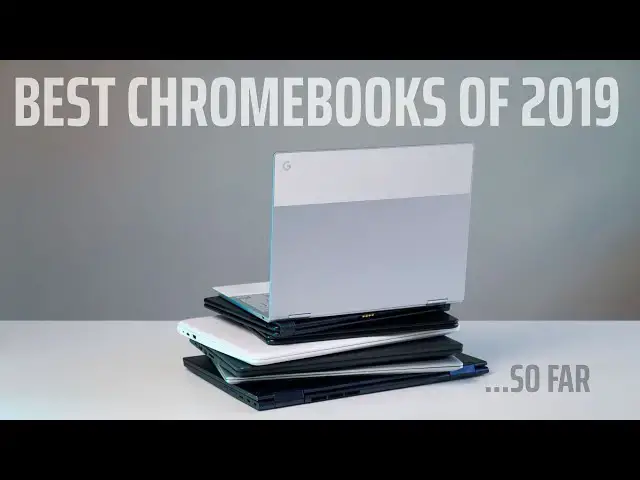
Up next in 10



Sponsored by Brydge. Premium aluminum keyboards for Google Chrome, iPad, and Surface Pro. Shop here: http://bit.ly/brydge1
Shop All Chromebooks and Read More: http://bit.ly/2OS84DB
*PRICES AS OF PUBLISHING DATE, SUBJECT TO CHANGE
・・・・・・・
Read more: https://chromeunboxed.com/
Join our newsletter: http://bit.ly/2WjCDm7
・・・・・・・
Shop Chromebooks on Amazon: https://fave.co/2OuedYL
Subscribe to the channel: http://bit.ly/2xFuj6L
The Music We Use - PERFECT for YouTube: http://bit.ly/31W6PYP
Become a member of Chrome Unboxed to help us make our channel even better, and for access to exclusive perks: http://bit.ly/CU-join
Show More Show Less View Video Transcript
0:00
one of the questions we feel most often
0:02
is what Chromebook should I get for
0:04
filling the blank amount of money so
0:06
whether its budget Chromebooks or
0:09
high-end Chromebooks usually people come
0:11
to us with a budget and say hey what's
0:12
the best Chromebook I can get for that
0:14
price so today at this point in the year
0:16
in 2019 we want to answer that for you
0:19
[Music]
0:26
today's video is brought to you by
0:27
bridge and we've used their products for
0:29
quite some time now and a really fond of
0:31
them if you're not familiar bridge makes
0:33
keyboards for tablets in general they
0:35
make keyboards for the pixel slate they
0:37
make them for the iPads and iPad pros
0:39
they make them for the Microsoft Surface
0:40
and they're just premium quality
0:43
keyboards their Bluetooth backlit keys
0:45
and they even have special function keys
0:47
for each different operating system we
0:49
can't say enough good things about their
0:51
products they're absolutely premium
0:53
they're absolutely top-notch and we love
0:55
them and I think that you would love
0:56
them too if you'd like to learn more
0:57
about them go to chromevox comm ford
1:00
slash bridge that's bridge with ly so if
1:04
you're here you're looking for a
1:05
Chromebook and you have a budget in mind
1:07
let me give you a couple caveats as we
1:09
enter into this because I don't want to
1:11
waste a lot of your time I don't want to
1:12
waste a lot of my time I want to tell
1:14
you which Chromebook you should buy at
1:15
the different price points so first off
1:17
we're going to kind of break this up 0
1:18
to $299 and then we're gonna go 300 to
1:22
600 dollars then $600 and up and you can
1:25
categorize those however you like some
1:26
people think that $600 plus means it's a
1:29
high-end Chromebook in my head that's
1:31
still kind of mid-range but that's all
1:33
subjective it doesn't matter we're gonna
1:35
cut it up into three different price
1:36
points and then talk about a few
1:38
Chromebooks that are worth looking at
1:39
for you because different Chromebooks
1:41
have different things and different
1:43
processors and different little bells
1:45
and whistles we're going to make sure
1:46
that you know about those but then in
1:48
each category we're gonna say hey we
1:50
think this is probably the best
1:51
Chromebook right now that you can buy
1:53
second thing you need to know is that
1:55
we're not going to be talking MSRP here
1:57
these Chromebooks in general I think
2:00
almost all of them on the list have been
2:01
on sale at least for a few weeks at a
2:04
time if not months at a time so don't
2:06
buy any of these Chromebooks honestly at
2:08
MSRP wait for them to go on sale and as
2:11
we talk through the prices we're gonna
2:12
talk to the prices that we normally see
2:14
these things on sale for so let's start
2:16
at the bottom and so these zero to $299
2:19
we'll call it affordable Chromebook
2:21
category the first two I want to mention
2:23
are from Lenovo so you have the C 330 in
2:26
the S 330 they're both affordable and a
2:28
lot of times you can find them under 200
2:30
bucks the C 330 has a better feature set
2:33
though it's got a touchscreen its IPS
2:35
it's convertible it's only 11.6 inches
2:38
but
2:39
general it's been one of the go-to
2:40
Chromebooks for us to give to people
2:42
whenever they're looking for something
2:44
that's cheaper for the kids to have
2:45
around the house with that mediatek
2:47
processor inside it actually handles
2:49
Android apps pretty well and with the
2:51
touch screen if the Android app isn't
2:53
updated to use the keyboard and trackpad
2:54
it gets along just fine you can flip it
2:57
into tablet mode and go at it the S 330
2:59
that's kind of it's like cousin is a
3:01
14-inch version we've done a review of
3:03
that and talked about how well it runs
3:04
roblox and you can get the thing for
3:06
like 160 bucks so you're looking for
3:08
ultra cheap it does do that screen is
3:10
terrible on it but it's got nice
3:12
keyboard a nice trackpad and it does the
3:15
basic Chromebook stuff pretty well the
3:18
other two we've got in the kind of
3:19
honorable mention category are the asus
3:22
523 and asus 423 those two devices
3:25
they're all plastic but they have a
3:27
Pentium chip inside four gigs of ram 64
3:30
gigs of internal storage you can get it
3:31
with the full HD screen you can actually
3:34
get the 523 which is the 15-inch version
3:36
with a touchscreen and backlit keys and
3:40
all that kind of stuff for less than 300
3:42
bucks but it's an all plastic shell and
3:44
it's it's kind of cheap plastic too so
3:46
it's a little wobbly picks up scratches
3:48
pretty easily and that leads me to what
3:51
I would consider our winner in this
3:52
category which is the Acer Chromebook 15
3:54
same exact internal setup as that Asus I
3:57
was just talking about Pentium chip four
3:59
gigs of ram 64 gigs of internal storage
4:01
but get this backlit keyboard great
4:04
speakers IPS panel touchscreen and an
4:07
all aluminum build I mean the spec sheet
4:09
sounds like something that should cost a
4:11
lot more and honestly when it first came
4:12
out it kind of did but it's dropped in
4:14
price pretty dramatically and it's just
4:16
a great Chromebook in at under 300 bucks
4:19
easily easily the best one you can buy
4:21
in this category ok moving on to the
4:24
kind of middle class here we've got the
4:26
$300 to $599 Chromebooks and this is
4:30
really kind of the meat of your
4:32
Chromebook selection in general you
4:34
don't have a ton of Chromebooks that go
4:35
over that price bracket there's not a
4:37
lot of people that want to pay that much
4:38
more for a Chromebook than 600 bucks so
4:40
you're going to see a lot of these
4:42
Chromebooks that show up on our website
4:44
on sale a lot so in general you could
4:47
probably buy these Chromebooks at MSRP
4:49
or on sale in this category and still
4:51
end up in that
4:52
300 a $600 range so let's talk through a
4:55
few of them in general they share a lot
4:57
common lots of aluminum builds here some
5:00
of them have pens and some don't
5:02
nice screen resolution so there's
5:04
nothing under a 1080p at least here all
5:06
IPS panels things that look really nice
5:09
and put together well and are fast and
5:12
have plenty of RAM and plenty of storage
5:14
so it's not necessarily that any of
5:16
these Chromebooks are head and shoulders
5:18
above another as far as the spec sheet
5:20
goes it's just there are some that put
5:22
the entire package together a little bit
5:24
better than the next one so let's talk
5:26
first about the Samsung Chromebook plus
5:28
v2 I really like this Chromebook it's a
5:31
little smaller than the others in this
5:32
category but again mostly aluminum
5:34
plastic bottom but you get a pin you get
5:37
a really nice screen plenty bright and
5:40
around 300 nits and it's just a little
5:42
above a 1080p panel with a great
5:45
keyboard and a great trackpad and just a
5:47
nice form factor if you like flipping
5:49
things in the tablet mode from HP you
5:51
have the X 360 and the Chromebook x2 so
5:55
the x2 is a detachable one has a similar
5:57
screen like the pixel book has a pen
5:59
that comes with it and the keyboard
6:00
comes all in the same package usually
6:03
less than 500 bucks it's it got an m3
6:06
processor in it four gigs of ram so it
6:08
gets along pretty well
6:09
and then the X 360 is one of my favorite
6:11
Chromebooks in this category for sure
6:13
plenty of power with the i3 4 gigs of
6:15
ram 1080p screen and you're gonna hear
6:18
that kind of same thing with the Dell
6:20
Lenovo similar processors 4 or 8 gigs of
6:23
ram good amounts of storage nice 1080p
6:26
screens aluminum builds I mean there's
6:28
good stuff to be had here so if you're
6:30
just kind of going hey this is the money
6:32
I have and I'm ready to buy one now
6:33
maybe you go to Best Buy and just see
6:35
which one's on sale and choose it
6:37
because honestly there's not that much
6:38
that differentiates all of these
6:40
Chromebooks figure out like if you need
6:42
a pen or something like that but the
6:43
winner here the one I feel like does
6:45
stand just a little bit above all the
6:47
rest in this category is the Asus
6:49
Chromebook flipsie 434 and it is just an
6:53
amazing looking Chromebook it's if you
6:56
haven't seen the review of it very tiny
6:58
bezels around the screen again a 1080p
7:00
screen IPS panel similar to some of
7:02
these other ones all aluminum build a
7:05
great keyboard
7:06
backlit just a very unique looking
7:08
Chromebook it's almost like a 14-inch
7:10
Chromebook crammed into a 13-inch
7:12
chassis it looks great it's got the a
7:15
couple different variations on it I
7:16
think the top-end variation right now
7:18
with 8 gigs of ram 64 gigs of storage
7:20
and the core m3 processor is nicely in
7:24
this price bracket as well and when we
7:26
reviewed it and even put it up against
7:28
other Chromebooks it just was the
7:30
Chromebook to go to if you're looking at
7:32
spending five to six hundred dollars so
7:34
for sure in this category that Asus
7:36
Chromebook C 434 is the one you want to
7:38
go with so finally we come to the $600
7:41
and up Chromebook segment and while
7:43
there aren't a lot of people that go
7:44
with purchased Chromebooks for much more
7:46
than six hundred bucks
7:47
these devices are out there they aren't
7:50
nearly as many a number as the other
7:52
divisions here but in general if you
7:54
want just the most premium Chromebook
7:57
experience you're gonna have to shell
7:58
out a little bit more than 600 bucks and
8:00
so there are a few we need to talk about
8:02
first step I would put the Lenovo c6 30
8:06
the yoga Chromebook the 4k model in this
8:09
category and it generally is 700 bucks
8:13
plus it kind of fluctuates all over the
8:15
place but all aluminum backlit keys 4k
8:18
screen and it's the only Chromebook
8:20
that's out there with a 4k screen but
8:22
that 4k screen comes at a cost it hurts
8:24
performance a little bit and it really
8:26
hurts battery life it was the reason it
8:28
wasn't like my go-to Chromebook cuz I
8:30
like the keyboard the trackpad and the
8:32
screen looks great and when it's the
8:33
only device you've got it's nice to have
8:35
that big screen to work from but man it
8:37
really knocks the battery life down to
8:38
like 4 to 6 hours and for me using a
8:41
Chromebook that's just not a thing I
8:43
want to do anymore but maybe you're not
8:45
out and about that often and battery
8:46
life isn't that big of a deal it's a
8:48
great Chromebook so is the Acer
8:50
Chromebook spin 13 though it's been out
8:52
for a little longer than some of these
8:54
other Chromebooks it brings a lot to the
8:56
table all aluminum backlit keyboard
8:59
glass trackpad a stowable a larger
9:02
stowable stylus a great screen 3 by 2
9:05
ratio so similar to the pixel book and
9:07
pixel slate it's got an odd resolution
9:11
that I never can remember but it's still
9:12
nice and high-res 300 nits a brightness
9:15
that we've mesh
9:15
it just checks all the boxes honestly
9:18
and it's a great Chromebook it's just
9:20
always been kind of expensive so in like
9:21
the eight to nine hundred dollar range
9:23
but it dips down from time to time and
9:25
when it does and if it does it's a very
9:28
compelling Chromebook to and then that
9:29
brings us to the two Chromebooks made by
9:32
Google which have always been expensive
9:34
and people get upset about them being
9:35
expensive but they are built better than
9:38
just about anything you can get your
9:39
hands on so first we'll say pixels slate
9:41
because you know what I'm going to put
9:43
at the top of this let's be honest but
9:45
the pixel slate has really grown on me
9:47
over the last couple months as I kind of
9:49
have forced myself to use it from time
9:51
to time just to see how software is
9:53
coming around and really Google has
9:55
worked out so many of the kinks and I
9:57
said this when I reviewed it I've said
9:59
this in articles I knew eventually they
10:02
were gonna work these kinks out and it
10:04
was gonna change the way at least that I
10:05
viewed this device and so when I paired
10:08
it now up with the bridge G type
10:10
keyboard it actually feels very good in
10:13
laptop form the Bluetooth isn't wonky
10:15
like it was before and I don't really
10:17
have any issue working from it whether
10:19
it's in my lap or on a desk or whatever
10:21
and then when I want to pop it off and
10:22
use it like a tablet I get to take
10:24
advantage of those awesome speakers and
10:26
every time I open it I get to log in
10:28
with my fingerprint and honestly those
10:30
two things differentiate it from any
10:32
other Chromebook and make the experience
10:33
pretty excellent and just holding it in
10:36
general because it's so well built and
10:38
balanced and rounded it just makes for a
10:41
really excellent experience and finally
10:43
we come to the Chromebook in the number
10:45
one spot unsurprisingly in the $600 plus
10:48
category and that is the pixel book and
10:51
in general regardless of whether you
10:53
want to say I'm a pixel book fanboy or
10:54
anything like that when I get done
10:56
reviewing any other Chromebook or
10:58
neither other device that I'm enjoying
11:00
or using for any period of time I always
11:02
come back to my pixel book and there are
11:05
reasons for that it's not just because
11:07
it's the thing I use or one of the
11:09
Chromebooks I own it just has some
11:11
things about it that no other Chromebook
11:13
does the typing experience
11:14
second-to-none the trackpad glass
11:17
trackpad is great but the build quality
11:19
of the thing is just thin it's light it
11:22
looks almost futuristic still even
11:24
though it's 2 years old almost the
11:26
screen is great it's nice and bright
11:28
full of colors and
11:29
you wish that the bezels were a little
11:31
bit smaller but honestly those are small
11:33
complaints that fade away when you're
11:34
actually using the device and so in
11:36
general when it comes down to actually
11:38
getting some stuff done and feeling like
11:40
I got the most bang for my buck and the
11:42
device is doing what I need it to do
11:43
most the pixel book delivers more than
11:46
any other device that I've ever used
11:48
all right so quick recap before we wrap
11:49
up if you're looking to spend less than
11:51
300 bucks Acer Chromebook 15 if you're
11:54
looking to spend anywhere between 300
11:56
and $5.99 Asus Chromebook flip C 434 and
12:00
at the top end of the spectrum $600 plus
12:03
pixel book is where it's at but guys
12:06
that's been it for this one if you
12:07
enjoyed it and we helped you make a
12:09
purchasing decision give us a thumbs up
12:11
hit the subscribe button down below and
12:12
make sure and hit the notification bell
12:14
if you'd like to be alerted when we make
12:15
future videos just like this one until
12:18
next time we'll see you
12:21
[Music]
#Consumer Electronics
#Product Reviews & Price Comparisons