0:08
hey folks Robbie pay with chrome unboxed
0:10
and we wanted to show you a couple other
0:12
cool things we came across while up in
0:13
asus's Booth specifically for
0:15
Chromebooks now granted these are docks
0:17
that are made actually for probably
0:19
Windows PCS but they work just fine on
0:21
Chromebooks and we wanted to show you
0:22
that in case you're interested in
0:24
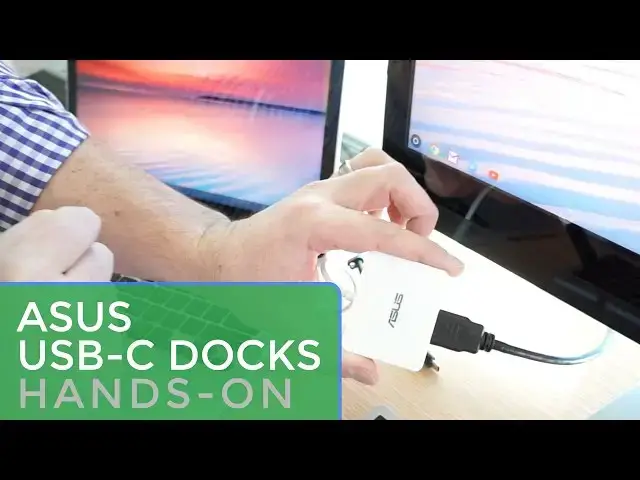
getting a USB docking solution so this
0:26
is the mini Dock and it is very small um
0:30
probably about the width of a credit
0:30
card but not nearly as long uh you can
0:33
see the HDMI is plugged in here it's
0:34
plugged straight into the USBC and as an
0:37
additional function we can plug the
0:39
power source right into this there's
0:40
pass through and you can see we are
0:45
here and as we back out you can see
0:48
without setting anything up we've got
0:52
support and so it behaves exactly like
0:54
what you would expect um additionally on
0:56
this mini one you have a USB 3.0 port
1:00
here for any kind of peripherals or
1:01
anything else you would want to plug in
1:02
so this is your simplified docking
1:04
solution they have one that's actually a
1:06
little more robust that has to be
1:08
plugged in so you'd want to leave this
1:09
one kind of chilling at at your desk or
1:11
something like that but this one adds
1:12
all kinds of stuff so you have an
1:13
ethernet port VGA HDMI out flip around
1:17
you have separate microphone earphone
1:20
fulls sizee SD card slot and two USB
1:22
slots here and so this would be
1:24
something you would probably want to
1:25
have actually mounted on your desk or
1:27
something sitting there but the idea
1:28
being you have all of your pereral
1:30
things at your desk plugged in you sit
1:32
down with your Chromebook you plug in
1:34
the single cable and boom you're up and
1:37
ready to go with a multim monitor
1:39
support and so we're excited to see
1:42
Chrome OS support this we're excited to
1:43
see asus's products support this and I
1:45
know I for one I will be getting my
1:47
hands on one of these pretty quickly
1:48
because that makes for a very easy
1:50
solution for having a desktop setup
1:52
where you can just bring your your
1:53
laptop in and get to work pretty quickly
1:57
guys until the next one we'll see you