Up next in 10



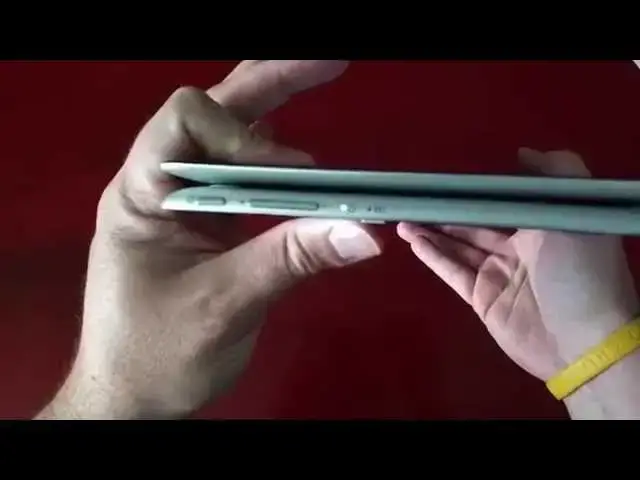
In this video, I take an extended look at the versatile and surprising ASUS Chromebook Flip. Enjoy!!!
Show More Show Less View Video Transcript
0:01
[Music]
0:18
hey folks Robbie Payne coming at you
0:19
today with a review of the Asus
0:21
Chromebook flip otherwise known as the
0:24
c100p this device is actually the one
0:27
with four gigs of RAM um in the unboxing
0:30
for those of you who follow the channel
0:32
and have been around uh you will uh
0:35
acutely aware that I unboxed a two gig
0:38
version the reason for the switch is uh
0:40
twofold one I wanted to try the 4 Gig
0:43
version because um For Me 2 gigs is just
0:46
not enough anymore um and two Asus uh
0:51
reached out to me in the in the time
0:52
after I posted the unboxing um and I am
0:56
now part of their Media review team so
0:59
um they have people who they send stuff
1:01
out to to review um and I was very happy
1:04
to receive that email and this device is
1:07
on loan from them uh we'll be going back
1:09
to them so hopefully I'll I'll get some
1:11
other uh vendors as well and some other
1:13
OEM to uh start giving me Chromebooks to
1:16
review and send back um here's looking
1:18
at you Toshiba and HP and Acer um
1:21
hopefully that that'll happen sooner
1:23
than later but anyway big shout out to
1:24
Asus for providing this device I did
1:27
specify and told them hey look I've got
1:28
a 2 gig version here already would you
1:31
mind sending me the 4 Gig and they had
1:32
no problem got that thing out
1:34
immediately um and that's been pretty
1:36
awesome so again huge shout out to them
1:38
for that um quick overview of the device
1:43
in general if you haven't seen the
1:44
unboxing we're looking at a 10.1 in
1:47
display completely aluminum body so we
1:50
have aluminum top aluminum bottom sides
1:52
and all that kind of stuff a nice little
1:54
see if I can get it to focus that glare
1:56
might be too
1:57
much you focus there yeah there we go
2:01
nice little chamfer Edge there which is
2:02
kind of a nice touch uh chromed out
2:05
buttons so we got the volume rocker and
2:06
power button here on the side you've got
2:08
the uh proprietary charging ports really
2:11
close to being a micro USB but it's not
2:14
um nothing across the front save that
2:16
edge uh two USB 2.0 P ports that's
2:19
important to remember if you're a big
2:21
USB fan and for some reason need that
2:23
quick transfer rate not 3.0 only to 2.0
2:27
we have a micro HDMI which you can buy
2:30
an Amazon Basics converter cord that's
2:32
yay long that'll convert it over to a
2:34
female fulls size HDMI so it's not a
2:36
huge deal few bucks out and you could
2:38
have that converted and then you've got
2:40
a Micro SD card slot which right now
2:42
I've got a 64 gig card in there and it
2:44
clicks and sits flush 64 gig card I got
2:47
from geek.com um came straight from um
2:51
somewhere over in Asia somewhere in
2:53
China I believe and uh for like $5 so
2:57
it's worked just fine it sits flush as
2:59
you can see so you don't even know
3:00
what's in there unless you kind of feel
3:02
around in there then you got the combo
3:04
microphone headphone slot nothing across
3:06
the back save that hinge that we'll talk
3:08
about here in just a minute across the
3:10
top again all aluminum nice chromed out
3:12
Asus and chrome logo so really really
3:15
spelt
3:16
device uh just to give you an idea
3:19
here's a case for the Nexus 6 um if any
3:22
of you guys have that so right in in
3:24
line with the width there at the
3:26
thickest point on the Nexus 6 and this
3:28
thing uh pretty close so it is a thin
3:31
device it looks even thinner when it's
3:33
opened up if I get my hands on it here
3:35
when it opens up and you just lay it
3:37
completely flat me flatten it out there
3:40
and you hold it I mean it just feels
3:42
razor thin at that point uh it's pretty
3:44
crazy uh pretty awesome that way um
3:48
inside once we open this guy up nice
3:51
decent Siz trackpad for a device this
3:53
small so I mean you're seeing five
3:55
fingers across so nice and wide pretty
3:58
shallow here but I had no issues really
4:00
feeling like crap I'm running off the
4:02
edge over and over again so that's been
4:03
nice the interior as well as aluminum
4:06
that kind of nice brushed look um
4:09
retracts and repels or at least hides
4:10
fingerprints quite a bit I feel like a
4:12
little bit of oil picks up on the
4:14
trackpad as it does on any trackpad um
4:17
but um you can't see it at all um not
4:21
the same with the uh with the screen it
4:23
picks up oil and fingerprints like crazy
4:26
um but they wipe right off and glass in
4:29
general uh screens just do that but this
4:31
one is a big- Time fingerprint magnet I
4:33
will say that um your keyboard layout's
4:36
the same as a normal Chrome OS device
4:38
keys are slightly smaller and a little
4:40
more cramped you'll feel it the first
4:42
time you start typing but there's good
4:43
travel really really good travel for a
4:46
keyboard that is this thin um again
4:48
we're talking really really thin here
4:50
and so there's really good travel uh Fe
4:53
Keys feel great the mouse is really or
4:55
the trackpad is really really responsive
4:57
clicks
4:57
are relatively small long quiet which is
5:00
nice you're not getting a big clack uh
5:02
overall the device just feels great uh
5:04
as far as its build quality um and then
5:07
we'll get to the hinge which is what
5:09
everybody's here for right so you can
5:10
lay the thing out like this the minute
5:13
you get just over that we'll see down
5:15
here at the bottom of the
5:18
screen and sometimes when it's locked it
5:21
acts funny I'm using the Smart Lock
5:23
feature which I think technically is
5:26
kind of a beta feature but it's nice and
5:28
my phone's in in the vicinity it
5:31
will unlock with just a click which is
5:33
kind of cool so now you see uh down here
5:37
it's going to have a hard time focusing
5:38
with glare um we have this multitasking
5:41
button and that's because in tablet mode
5:44
um whenever we open up any tab
5:48
everything opens in full screen looks
5:50
like I'm going to have to back the
5:51
brightness off a little bit more here so
5:52
we can focus properly um that's a good
5:56
thing when you got to back off the
5:57
brightness for the review that means the
5:58
screen's decently brighter at least
6:00
right um so we'll open up chat here so
6:05
you see everything opens up full screen
6:07
and that's because they've got this
6:08
button down here you click it and it
6:10
brings up it does the same feature for
6:11
those of you who don't know and don't
6:12
use this feature which I do all the time
6:15
whenever you slide up with three fingers
6:17
you get that same thing so I use that
6:19
constantly and so on the tablet mode
6:22
it's kind of cool that it's there pretty
6:23
quickly you can click that bounce back
6:25
and forth between modes for some reason
6:28
that's not signed in it's having issues
6:31
probably need to restart um but we'll
6:34
get back into that here in just a second
6:36
but the hinge is good and sturdy when
6:37
the devic is uh this way it doesn't feel
6:40
too awkward holding it as a tablet um
6:43
again you get the keys on the back if
6:44
you've ever had a
6:47
um um Lenovo Yoga in your hands you know
6:50
that sensation that's the clicky clock
6:52
of the keyboard behind your finger is a
6:54
little weird at first eventually you get
6:56
used to it it's not too bad um the
6:58
device it's self when it's sitting here
7:00
if you're using touch um you get a
7:02
little wobble on the keyboard you can
7:04
kind of see it wiggling but I'm poking
7:06
that thing pretty good and so it's
7:08
actually weighted pretty well again for
7:10
a small really light device we're shy of
7:12
3 lbs here I think we're closer to the 2
7:14
lb Mark uh it's you know it's it's got
7:16
some heft it's made of metal so it's
7:18
just part of it but it has a premium
7:20
feel um to be honest with you build
7:23
quality Wise It's the most impressive
7:25
device that I've seen uh other than the
7:27
Chromebook Pixel and again I hopefully
7:29
that always applies when I say anything
7:31
is superlative in any way shape or form
7:33
it's usually uh with a caveat that I'm
7:35
saying that other than the Chromebook
7:37
Pixel so um let's talk about the screen
7:40
for just a minute it's not the brightest
7:42
screen I've ever seen but I can kind of
7:43
blow it out here uh the room's a little
7:45
dark and you can see it's blowing the
7:46
blowing this out a little bit um I did
7:50
have uh a Toshiba Chromebook there was
7:53
an issue uh Chromebook 2 uh there was an
7:55
issue with the space bar on it and so I
7:57
had to actually send it back to get
7:58
replaced but I had them side by side the
8:00
Toshiba Chromebook 2 probably has
8:02
arguably the best screen on it again
8:04
other than the Chromebook Pixel
8:06
fantastic brightness viewing angles all
8:08
that kind of stuff the beautiful IPS
8:10
display and it really did make this one
8:12
look a little dull again let's consider
8:14
the price point and the build quality
8:16
and the functionality we're getting with
8:17
this device versus something like a 13.3
8:20
inch Toshiba Chromebook 2 now when the
8:22
Toshiba Chromebook 2 came out it was if
8:24
we all remember uh $330 for the 4 Gig
8:28
version this device is about 280 for the
8:31
4 Gig 250 if you go with the 2 gig model
8:33
we're going to talk about a little bit
8:34
of those performance things here in just
8:35
a moment um and so yes the the screen is
8:39
a little bit um um duller uh less bright
8:41
than the Toshiba Chromebook 2 but unless
8:43
you have them next to each other you
8:45
don't really notice it and I will say um
8:47
uh the colors are pretty good uh viewing
8:50
angles are fantastic the viewing angles
8:52
actually are better uh than the
8:53
Chromebook 2 the Chromebook 2 if you get
8:55
it um on an off angle and you see it a
8:59
little a little bit here see where the
9:00
discoloration is happening on the
9:02
45° um it's it's more pronounced to me
9:05
on the Chromebook 2 than it is on this
9:07
but that's part of an affordable IPS
9:09
display whenever you get I remember the
9:11
Nexus 5 and the Nexus 4 actually had
9:13
that same exact problem if you were to
9:15
hold them uh straight on and kind of
9:18
look off angle and then turn it ever so
9:20
slightly you would get a huge wash out
9:22
in the screen it's part of uh the
9:24
cheaper IPS displays so I did some
9:26
research on that and figured out what's
9:27
going on with that with a device like
9:29
this it's way less of a problem mainly
9:32
because uh with a device in this uh in
9:35
this layout you're usually looking at it
9:36
straight on there's really no reason to
9:38
be looking at it like this all the time
9:40
or like that um that's just not not a
9:43
normal use case so um the screen is very
9:47
good uh one of the best that's been on a
9:48
Chromebook thus far and at 1280 by 800
9:51
resolution squeezed into a 10-in screen
9:53
you get pretty decent PPI I don't know
9:55
the exact number off the top of my head
9:57
but let's get it in here close
10:00
let you see the icons and how sharp they
10:02
are if you'll Focus come on
10:09
Focus it's
10:15
trying not having much luck here um but
10:18
you see there's not a whole lot of
10:19
graininess to the you can see a little
10:21
bit of pixelization there but I'm really
10:23
really really close here and so when
10:25
you're holding it back at at normal you
10:27
know tablet viewing angles no issues
10:29
whatsoever with text and readability uh
10:32
no issues at all kind of transferring in
10:34
and out of tablet mode it just it you
10:36
just kind of get used to grabbing it and
10:37
flipping it around you can obviously do
10:40
the other uh orientations as well you
10:42
can kind of do the tent mode thing to
10:45
where it can stand up as a presentation
10:46
you can also do that same presentation
10:48
mode with the keyboard down and give it
10:49
a little bit more stability if you're
10:51
presenting something say to a client or
10:53
something like that uh what I found
10:54
myself using for most in a different
10:57
mode other than the laptop was with uh
11:00
feedle and of course it's hidden
11:04
here as a newsreader uh it's very good
11:09
they kind of took the ball whenever
11:12
Google said we're out of the whole uh
11:13
newsreader thing so I've got um you can
11:16
see quite a few things in here and this
11:18
is just feedly.com technically I've just
11:20
opened it as a uh as a a window as
11:24
opposed to opening as a browser but it's
11:26
definitely made um and takes advantage
11:28
of all the touch features and you can
11:30
just kind of swipe these stories in and
11:32
out which is kind of nice you can see
11:34
the text is just highly readable uh if
11:37
it's going to focus here for me there we
11:38
go you can see um we're way up close you
11:41
get a little bit of pixelization the
11:43
minute you pull back here you can't tell
11:44
at all and so it's very comfortable to
11:46
read on I wish there were more um uh
11:50
reader apps I wish like Google Books and
11:52
stuff like that I wish you could read
11:54
those on Chrome OS much easier that was
11:57
not a simple task um so I wasn't going
11:59
to really read too many books on this
12:00
but I do that mostly on my phone anyway
12:02
so to each his or her own um so let's
12:07
talk about performance real quickly um
12:09
I'll load up a couple things so you can
12:11
kind of see I did some of this in the
12:12
unboxing with the 2 gig and side by side
12:15
I had both of them in house for just a
12:17
little bit and have to say that
12:19
ultimately like for things uh with with
12:21
feedle like I was just showing you in
12:24
the two gig version I know feedle is
12:26
pulling in a lot of stuff and so it's
12:27
probably a lot for two gigs to handle
12:29
had a lot of Articles pulled in a lot of
12:30
pictures news and all that kind of stuff
12:32
just simple task like just swiping the
12:34
menu in and swiping the menu out um I'll
12:37
show you that again just so you can kind
12:39
of see it um and I don't necessarily
12:42
have to go into tablet mode to show you
12:44
those things you know loading in Pages
12:47
the time frame wasn't that different
12:49
between the two devices what was
12:50
different was the smoothness at which um
12:54
this one could pull it off versus the
12:55
other so when I would do this say on the
12:57
2 gig version most times it would
12:59
stutter and if not just completely miss
13:01
the action this one's just nice and
13:03
smooth uh same thing whenever I would
13:06
open up a story and then just go to push
13:07
it off it would and then stutter off to
13:10
the side and so um little things like
13:12
that I saw again I know feely's probably
13:14
pulling in a lot of resources so um it's
13:18
it's fair to say that maybe it was
13:19
pushing past the 2 gig limit there um
13:22
and I I know I pull the Verge up a
13:24
lot but it's a crazy heavy sight and so
13:29
usually this is one of those ones if if
13:31
the computer I'm using can handle this
13:33
then I know it's it's doing okay and so
13:36
we're not getting anything more any more
13:38
or less smooth I don't think I didn't
13:40
see side by side with the 2 gig version
13:42
um it loaded websites a little bit
13:45
faster but not that much cuz that's
13:47
processor speed but what happens is when
13:50
we get this and we'll say in gadget
13:54
again a very heavy one oops sorry guys
14:03
and then let's get YouTube video
14:05
going and Android
14:23
Central okay so we're scrolling that one
14:27
we loaded this entire page in and Gadget
14:30
does a new thing now too I think they
14:31
don't load in everything at the top they
14:33
kind of load as you scroll a little bit
14:35
so we're all in there let's get video
14:38
[Music]
14:40
going um I'll probably just do one of my
14:42
own so I don't run into
14:45
any copyright infringement
14:52
issues and you can see everything's not
14:55
loading up crazy fast and that's just
14:58
the way it is I mean we're talking about
14:59
a rock chip arm processor here it is
15:01
quad core but it's an arm processor it's
15:03
meant for mobile devices and things like
15:06
that so hey we'll open up the c201
15:08
review and we'll mute that so we got a
15:11
video running in the background let's go
15:13
and make it a little
15:15
bigger there we go oh I want theater
15:18
mode make sure that we are running some
15:22
HD we'll do 720p cuz this isn't a 1080p
15:25
screen so there's no point and we got
15:28
Android Central which again is a another
15:30
pretty massive site so everything pretty
15:33
smooth here we can use three fingers to
15:35
swipe back and forth between tabs uh not
15:37
running into any issu so let's push it a
15:39
little further let's open up Google
15:43
Music and I would open up Hangouts but
15:46
it's acting really crazy it uh probably
15:48
wants me to restart
15:49
my my computer so I'm going to open this
15:52
up which is pixel editor I'm just going
15:55
to open up an image so it's forced to
15:57
have something in the ram to deal with
16:01
and this to me becomes pretty close to a
16:03
realistic expectation um of what
16:07
uh
16:09
um what you may actually have open um
16:13
sometimes we run these tests and we get
16:14
a little L of control on
16:16
them you can see it's really starting to
16:18
bog down a little bit here come on open
16:20
drive
16:22
up there it goes
16:33
we're really having some issues
16:39
now um here we go Philip Phillips how
16:43
about
16:45
that just prove to you it's
16:49
playing they're both going so now three
16:52
finger swipe up it's still smooth which
16:54
is pretty cool cuz I remember times
16:56
where the uh pixel would would hiccup at
16:58
that a little bit but um we still have
17:01
this whole site loaded in we're still
17:03
smoothly playing this
17:05
video and we're still smoothly scrolling
17:07
this site so I mean I'm talking about
17:10
three heavy
17:11
websites uh a YouTube video running at
17:14
720p in the background and music playing
17:21
again and you'll see you know Google
17:23
Music struggles on most Chromebooks um
17:27
the bigger ones not so much but
17:30
you're not hearing skips in music uh
17:32
you're not hearing skips in the other
17:35
video um so all those things combined I
17:40
would say that's relatively impressive
17:42
for a device that comes in with this
17:43
kind of build quality with these kind of
17:45
features at this price point um I'll be
17:49
honest with you my closing remarks here
17:52
I've been uh a little sad that I've got
17:54
to return the thing and none of this
17:56
review is going a little bit long but
17:58
this one's a a really good device I've
17:59
spent a lot of time with it it's been my
18:02
music player throughout the day I've
18:03
taken it home and used it on the couch
18:05
kind of as a Content consumption device
18:07
and that's where I found it it really is
18:09
worth more than any other Chromebook so
18:12
far that I've used and I know that's a
18:14
lot to say but because it's small and
18:16
it's light and I feel like I can just
18:17
kind of scoop it up like a tablet uh
18:19
it's become a great device at home is it
18:23
great to work on uh you know I did the
18:24
same thing with the c201 same processor
18:27
and all that kind of stuff uh you know
18:29
it's not meant for heavy work um it does
18:31
run Crouton just like the c201 does um
18:36
I'm show you that it'll actually load it
18:37
up real quick and this might push it
18:40
over the
18:43
edge but just to show you that it will
18:45
load it up uh and it runs it pretty well
18:48
um you know I didn't see a whole lot of
18:50
issue whenever it was when it was
18:51
running um inkscape filezilla those kind
18:53
of
18:54
things yeah there's your uh untu in a
18:57
window Crouton in a window kind of thing
19:01
so it's there um no issues there for the
19:04
things that I run like I know that
19:05
there's certain things that with arm
19:07
processors that are no good so we've got
19:09
Ubuntu running now at the same time and
19:13
still able to smoothly switch between
19:14
tavs like I said there there's a lot of
19:16
good stuff going on here um you're going
19:18
to see some drag every once in a while
19:20
it's just part of it uh your your octane
19:22
scores are going to get somewhere around
19:24
7,000 um which is not blowing the charts
19:26
off by any means you know your your
19:28
current model Celeron uh for instance is
19:31
getting close to 13 uh so you're almost
19:33
doubling that performance uh crazy
19:36
battery life um the device actually has
19:39
um been killing it when it comes to
19:41
battery life um I've gone a couple days
19:44
at a time between charges and that's
19:45
using it some at home letting it play
19:47
music for me throughout the day taking
19:49
it down to the coffee house from the
19:51
office you know an hour here hour there
19:53
something like that so I mean I'm not
19:55
talking about pushing it or killing it
19:56
all day long but you know it's it's uh
19:59
an impressive device all said and done
20:01
I've got a couple questions from the
20:03
unboxing that I want to hit and I only
20:04
saw two really in there is the screen
20:06
better than the C720 absolutely hands
20:09
down no question I hate the screen on
20:11
the C720 I think it's terrible it's
20:13
washed out it's grainy looking this is
20:15
none of those things it's again one of
20:17
the best screens I've seen on a
20:18
Chromebook again we're talking about
20:19
budget devices here awesome screen for
20:22
that budget uh we talked about that
20:23
earlier in the video and can it run in
20:25
BO um obviously I just showed that it
20:27
can there are going to be some program
20:28
you're going to run into issues with
20:30
that it won't run them on that's just
20:31
the way it is it's an arm chip not
20:33
everything's compiled to run on arm so
20:36
um I can't speak to the things you would
20:37
want to run a new boont and I can't
20:39
imagine you doing anything crazy on this
20:41
anyway um that you would need it for so
20:44
um other than those things guys I hardly
20:46
recommend this device it's a great
20:47
device uh mainly for consumption maybe
20:49
not so much for work but for a student
20:52
uh for someone not needing a power
20:54
device just to have around the house
20:56
fantastic piece of Hardware well done a
20:59
uh guys if you like this video want to
21:00
see more of it give it a thumbs up
21:02
subscribe to the channel uh and until
21:04
next time we'll see you
#Laptops & Notebooks
#Consumer Electronics