0:00
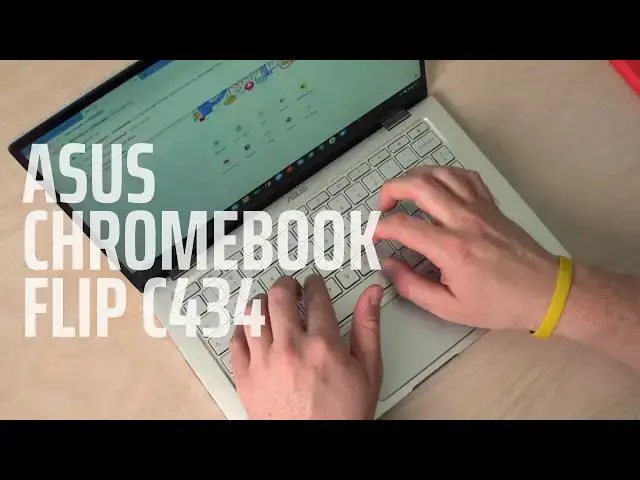
so I've spent the better part of a week
0:03
the Asus Chromebook flip c4 34 and a lot
0:08
of you are really interested in it and
0:09
we've gotten a lot of emails about it
0:11
and a lot of questions surrounding this
0:13
device and though I haven't formed all
0:15
of my opinions for a full review I do
0:17
have a few thoughts I want to share with
0:19
you before we get that full review video
0:28
today's video is brought to you by
0:30
former Supply Company and if you're
0:32
anything like me shopping is not high on
0:34
the list of things you enjoy doing
0:36
luckily there's forum a supply company
0:38
they will provide a fresh set of
0:40
t-shirts on your porch easily all you
0:43
got to do is give them your frequency
0:45
whether it's monthly bimonthly or
0:46
quarterly your size and your color
0:48
scheme and they'll take care of the rest
0:50
if you'd like to learn more about this
0:52
subscription service go to Chrome and
0:55
forward slash forma fo RMA so with this
1:00
device there's a lot of stuff I like
1:01
already and there's a couple things that
1:03
are causing me a bit of concern using it
1:07
on a daily basis and so I just want to
1:09
talk really briefly about some of those
1:11
things again I'm forming some of my
1:13
opinions about these things cuz certain
1:14
things that bother me for a little while
1:16
won't after a little bit and other
1:18
things that don't bother me will crop up
1:20
after time goes by so the build quality
1:22
I think has to be discussed because this
1:25
thing is just built really really well
1:27
it feels great in the hand it looks
1:29
great on a table when we're talking
1:30
about those little slim bezels they
1:33
affect the entire device in general and
1:35
I say that because the smallness of the
1:37
bezels you look at that all the time and
1:39
so every time you kind of glance upon
1:41
the device it's attractive looking but
1:44
it also incorporates in the way that the
1:46
hinge works and kind of slides
1:47
underneath the keyboard and gives that
1:49
slight lift it's made the typing
1:51
experience feel really good it also
1:52
makes a device lighter because it
1:54
physically is smaller and it's smaller
1:56
in your bag as well and it's easier to
1:58
handle and it just looks really good
2:01
so asus has done a really really good
2:03
job of putting together a really solid
2:05
package here and so I've really just
2:07
enjoyed the way the thing is put
2:09
the way it looks speaking of those
2:11
bezels they surround a pretty good
2:13
screen here and this is becoming kind of
2:15
commonplace on Chromebooks these 1080p
2:18
class screens they're just good it's a
2:21
little bit warm I have noticed that but
2:23
when I first got it out of the box I was
2:26
kind of put off because it was next to I
2:29
think it was a pixel book maybe and it's
2:30
a pretty cool screen so it looked even
2:32
more warm than normal but as I've used
2:35
it over the course of this last week
2:36
it's it's done pretty good I can tell
2:39
under extreme lighting environments with
2:42
lots of Sun it's gonna struggle just a
2:44
little bit not really sure what kind of
2:45
effect that's gonna have on the battery
2:47
long-term so far it hasn't seemed to
2:50
hurt it too bad but I've had to have the
2:51
brightness cranked up a little higher
2:53
than I want but overall the screen has
2:54
been pretty good and I just love love
2:56
looking at it with those tiny bezels
2:59
around the edges and as my main device
3:01
this has been the only thing I've been
3:03
typing on and using trackpad width now I
3:06
use a mouse every once in a while when
3:07
I'm at my desk but I've been out and
3:09
about a lot more than normal so I've
3:11
typed a lot on this and I've used the
3:13
trackpad on it a lot and after the day 1
3:16
day 2 testing of it I would have told
3:18
you the trackpad would have been an
3:19
issue but I think I was just in a humid
3:22
environment and probably any trackpad
3:24
would have struggled then I haven't had
3:25
any issue since then with it it's not
3:27
glass it's either aluminum or some sort
3:29
of plastic but it seems to get along
3:32
click mechanisms nice the keyboard at
3:34
first again I thought was probably a
3:37
little more mushy than I wanted it to be
3:38
and it's kind of growing on me
3:40
I've typed quite a few articles on it so
3:42
far and really starting to enjoy it and
3:45
I had it with me in my living room last
3:47
night and the backlighting kicked on and
3:50
it was just a really nice welcoming
3:52
thing to have as I was sitting in a more
3:56
dimly lit room so overall input methods
3:58
here I'm they're growing on me and so
4:00
after a first couple days I want to set
4:02
in not sure but but I'll come
4:05
lastly I want to talk about performance
4:07
and how this thing gets along one of the
4:08
issues I had when they first dropped
4:11
this particular version of this device
4:13
and we don't have any other versions of
4:14
it just yet there's a version of it with
4:16
eight gigs of RAM that's available in
4:18
the UK right now but right now for us in
4:20
the US it's going to be the 8th gen core
4:23
m3 4 gigs of ram 64 gigs of internal
4:26
storage that's not the best spec sheet
4:29
in the world again it's a $570 vice so
4:32
we're not expecting you know top-end
4:35
specs on everything but 8 gigs of ram
4:37
would have been nice and so a lot of
4:38
people are a little worried that four
4:40
gigs of ram would not be enough so far
4:42
I've not had any issues literally one
4:45
time and that was actually today I was I
4:48
had multiple tabs open at music players
4:50
open I had graphic editors open add all
4:52
kinds of stuff going and then I was
4:54
condensing some photos that were
4:56
literally 15 to 20 Meg's apiece massive
4:59
massive photos that killed my RAM and it
5:02
kicked me out of a couple tabs that I
5:03
had open but other than that one time
5:05
I've not had any issues with the RAM at
5:07
all in this the processor the coram 3
5:09
benchmarks and around 30,000 on octane
5:12
so it's scooting along just fine and
5:14
especially with a 1080p screen I haven't
5:17
run into any issues yet again over time
5:19
I might see more of these RAM issues
5:21
come up and that'll be something for the
5:22
review but for right now I'm enjoying
5:25
the way through this thing performs pork
5:27
selection is really good on it as well
5:28
so we're getting a USBC on both sides
5:31
and then a USB a so that that kind of
5:34
dongle life isn't a concern either with
5:36
this one and so yeah I mean just using
5:39
it day in day out has been really really
5:42
good what I keep going back to is
5:44
feeling like this would be a device that
5:46
I'm gonna put up against the HP
5:49
Chromebook X 360 so they share a ton of
5:52
I think the X 360 is a little faster and
5:55
it has a little bit better specs but
5:56
this one has some better aesthetic parts
5:58
to it and so I'm thinking about all
5:59
those things as I'm as I'm preparing
6:01
this review but just wanted to give you
6:03
guys a quick heads-up about kind of some
6:05
of these initial impressions that are
6:07
coming up after using this thing day in
6:08
day out for a week hopefully hopefully
6:11
within the next week we can have some
6:13
like that we'll get around to getting a
6:16
review out for you but I want to spend
6:17
plenty of time with this thing so that
6:18
we kind of have all the bases covered
6:20
because this is an important device and
6:21
it's one I know a lot of you guys have
6:23
been looking forward to but guys that's
6:25
it for this one if you liked it give it
6:27
a thumbs up hit that subscribe button
6:29
down below and until next time we'll see