Up next in 10



Buy the ASUS Chromebook Flip C101 on Amazon: http://amzn.to/2z0p28W
Sure, we may be smack-dab in the middle of all of Google's latest hardware news, including the latest Bell of the Ball Pixelbook, but that doesn't mean the rest of the Chrome OS world is stopping.
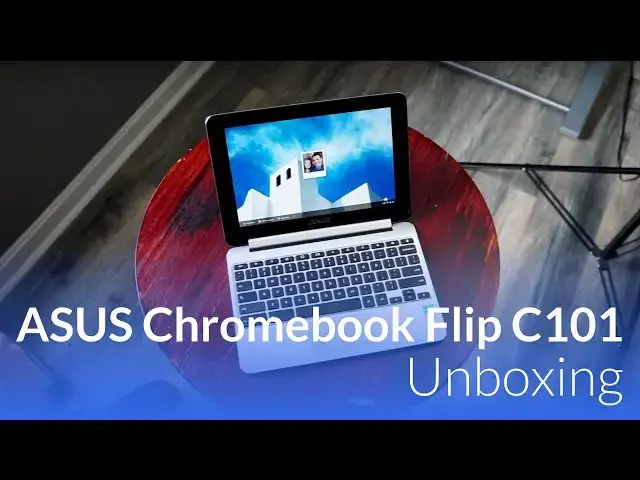
Today, we have in the office what I feel to be the true successor to one of the most popular Chromebooks ever: The ASUS Chromebook Flip.
Read more here: https://chromeunboxed.com/asus-chromebook-flip-c101-unboxing
Show More Show Less View Video Transcript
0:00
[Music]
0:07
hey folks I'll be paying with chroma and
0:10
Boxton today coming at you with an
0:12
unboxing of the Asus Chromebook flip
0:14
c-101 now this device in my head is the
0:19
true successor to the original Asus
0:21
Chromebook flip now the difference is
0:23
there's become a family right of
0:25
Chromebook flips so there's the original
0:26
Chromebook flip the SI 302 which came
0:29
out in January of last year then we have
0:32
the education focused 213 flip and now
0:36
the 101 flip and so they're probably
0:38
never going to have a flip 2 but this is
0:40
as close as we're probably going to come
0:41
to a real successor to the original flip
0:44
and it's a successor and as much as it
0:46
pretty much looks the exact same it's
0:48
the same size
0:49
there's a couple cool things that this
0:50
one has so let's get into the box and
0:52
see what it looks like alright guys so
0:54
here we have it unassuming box by asus
0:58
get right in it
1:00
packaged it up pretty much like you'd
1:02
expect I'll set this guy to the side
1:04
real quick you got some basic paperwork
1:07
there and then just a charger it's very
1:09
simple and as you will note instead of
1:12
the proprietary charger you're looking
1:15
at USB type-c this go around so this
1:18
device before I even get into it that's
1:21
one of the big differences it has over
1:23
its predecessor is that it will be USB
1:26
type-c in two spots instead of the micro
1:28
HDMI and the proprietary charger so
1:33
there she is and you'd be forgiven for
1:35
thinking that this one is the c100 it's
1:38
pretty similar looking and in most ways
1:40
it's built pretty much the same but
1:42
we'll take a look either way almost a
1:45
soft touch aluminum yeah that's an
1:49
interesting an interesting feel and kind
1:52
of touching all over it here doesn't
1:55
look to be a fingerprint magnet or
1:56
anything so that's kind of cool let's
1:58
look around the sides here your volume
2:00
rocker power same spot as they were on
2:02
the 100 nothing across the front and
2:04
then over here on the side full-size USB
2:07
now it's a 2 dot out but still for a
2:09
peripheral or something similar simple
2:11
that's a nice slot to have there then we
2:14
have the dual USB type-c zor-el super
2:16
speed so nice fast data transfer your
2:19
display out charging
2:20
happens with both of these guys
2:22
headphone microphone jack micro SD card
2:25
slot which is important because this
2:26
device at $2.99 comes packed with 4 gigs
2:30
of ram and only 16 gigs of internal
2:32
storage so as you start installing those
2:35
Android apps and doing some of those
2:37
other things some of that extra storage
2:40
will come in handy one of the other
2:42
things again you'd be really a forgiven
2:45
for mistaking this for the c100 because
2:47
it looks from this view almost identical
2:50
probably as identical I think they stuck
2:52
with most of the same stuff but one of
2:54
the big upgrades they did was in screen
2:56
brightness and so this one's rated at
2:58
350 nits we're under some pretty decent
3:01
lighting here in the fact that I can see
3:02
the screen and it looks happy that's
3:04
that's actually kind of cool
3:06
the older one that was one of my beefs
3:08
with it it has huge bezels just like
3:10
this one but it was also really dim
3:12
which was kind of a bummer so this one
3:14
being a little bit brighter it is IPS so
3:17
we should see pretty good viewing angles
3:19
here it looks like we're losing a little
3:22
bit of brightness right off angle and
3:24
then from side to side yeah some slight
3:27
variations in overall brightness it
3:29
looks like from side to side but overall
3:32
pretty bright screen and you know from
3:35
decent angles and from decent distance
3:37
the the resolution is enough and I'm
3:39
going to talk about that here in just a
3:41
second let me get signed in see how that
3:44
resolution becomes kind of important
3:46
here because again a lot of this hasn't
3:49
changed but one of the big issues with
3:51
the original c100 was performance and it
3:54
was the older version of the rockchip
3:55
and this is the same Rockchip the $33.99
3:58
or the op1 depending on what you're
3:59
looking at that is in the samsung
4:01
chromebook plus and it gets along okay
4:03
in the chromebook plus but with far
4:06
fewer pixels we're only talking 1280 by
4:08
800 far fewer pixels to push here this
4:11
thing should get around pretty well and
4:13
so let's run over to just Chrome unboxed
4:17
real quick let this loading real fast
4:22
and yes scrolling is real smooth very
4:26
nice there
4:27
let's open up
4:30
urghhh and how about Engadget I'm gonna
4:40
pull those in separate tabs and CARLMAN
4:48
box isn't too heavy but these other two
4:49
have a lot of ads and a lot of stuff
4:51
running on them I mean we're still
4:53
seeing lots of nice smooth scrolling
4:55
three fingers swipe up looks real nice
4:58
yeah let's swing through the verge very
5:02
nice and smooth interests as oome works
5:06
as you'd expect so again I'll hold out
5:10
some of those reservations for when we
5:12
actually do the full review on the
5:13
device but it already seems like it's
5:16
moving pretty quickly out of the box
5:17
Android apps are already available out
5:19
of the box I will say this when we first
5:21
pulled this one out to check on it
5:23
before doing this video I had to upgrade
5:25
from the version 59 and shipped with so
5:29
if you're getting this device in your
5:30
like I mean I don't have Android apps go
5:32
check for that update or give it about
5:33
10 minutes and it's gonna find it that
5:35
it needs an update and it will update to
5:36
the latest version of Chrome OS and you
5:39
will have your Android apps which again
5:42
I'm not gonna comment on how they run on
5:44
here my hope and my expectation is that
5:46
they're gonna run pretty well on here
5:47
again because the Chromebook plus does
5:50
such a good job and this one's doing the
5:52
same stuff internally just has a way for
5:54
your pixels to have to push on this
5:55
display so I mean we're looking at a
5:57
bright display feels like again
5:59
identical keyboard which is good the
6:01
original flip had a great keyboard if
6:03
not a little cramped it was a good
6:05
keyboard good action it's very quiet
6:07
we've got a good clique mechanism on the
6:10
trackpad this one feels a little firm
6:11
but it'll probably wear in over the
6:13
first day or two of use a nice smooth
6:15
surface again most of the things that we
6:18
loved about the c100 the original flip
6:20
are all here they're all present now we
6:22
just have an upgraded screen so a little
6:24
bit brighter screen than we had before
6:26
we've got a faster processor and we've
6:28
got USB type-c so a lot of the things I
6:30
had to say that I wasn't a fan of in the
6:32
original they've gotten fixed here and
6:34
so I'm looking forward to the experience
6:36
with this device
6:37
once again it is a full 360 experience
6:41
here and the cool thing about this one
6:43
is when
6:43
flip it into tablet mode because of its
6:46
size this one and I keep hitting that
6:48
power button because of its size when
6:51
you close it when you open it and kind
6:52
of move it into all these different
6:54
setups it actually feels more like a
6:57
tablet because it's small it's light and
6:59
it's thin and so again we're going to
7:03
test performance we're going to really
7:04
test the speakers because I Suz touted
7:06
those things we're going to test the
7:08
battery life and all those kind of
7:09
things that we can't obviously test in
7:11
an unboxing but I wanted to give you
7:12
guys a first quick look at what it felt
7:15
like what it looked like coming out of
7:17
the box and so far so good kind of
7:19
impressed it looks like Asus delivered
7:21
on a brighter screen that feels like
7:23
something that they needed and so far
7:26
quick quick blushes at the performance
7:28
it's it's behaving a lot better than the
7:30
original one did so again look in a
7:33
maybe a week maybe two weeks we'll have
7:35
a full review up of this thing we'll
7:38
leave a link for Amazon down below where
7:41
you can purchase this one for yourself
7:42
if you like if you're already interested
7:43
and you're already sold and say hey I
7:45
want to get this thing go for it there's
7:47
a link down there for that if you liked
7:49
the video guys give it a thumbs up
7:50
subscribe to the channel and until next
7:52
time we'll see you
7:55
[Music]
#Laptops & Notebooks