Up next in 10



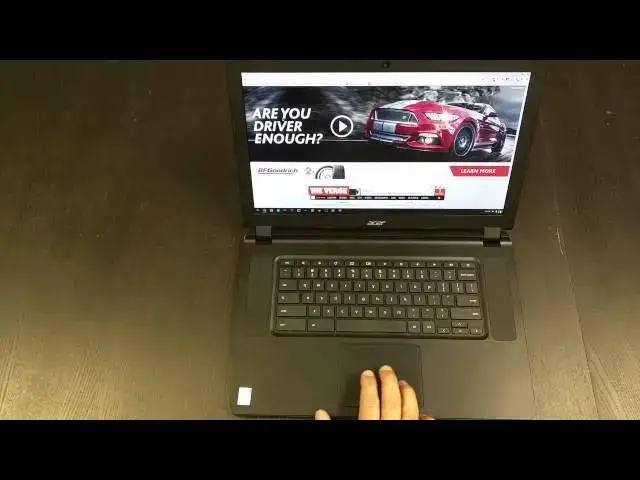
In this review, I re-review the Acer C910 with the Core i5 processor. The original review covered the Celeron model. Enjoy!
Show More Show Less View Video Transcript
0:01
[Music]
0:18
hey folks Robie pay with chrome unbox
0:19
coming today with kind of a mini review
0:22
um since I've already done a review of
0:24
the Acer c910 now this is the I5 model
0:27
with uh 4 gigs of RAM and I've been
0:29
using this this as uh my daily driver
0:32
now for ah jeez pretty much since it
0:35
came out um I had the Chromebook Pixel
0:38
there for a little bit but the uh you
0:40
can watch the review about my U
0:42
criticisms of the screen size and why it
0:45
just wouldn't working for me so I went
0:47
back to this once I found out there was
0:49
an i5
0:50
model um because an i5 and a Chromebook
0:54
just absolutely screams uh the thing
0:56
never Waits on anything um it just it
0:59
moves moves so quickly and um apart from
1:03
that it's got a really good screen I
1:04
don't want to say it's just the most
1:05
miraculous screen ever but it's a really
1:07
good screen uh you can tell IPS gives
1:10
you good viewing angles from any angle
1:13
uh left right front center all those
1:15
things so uh looks good color
1:17
reproduction is pretty good it's a
1:19
little off in that but I work from a
1:21
secondary monitor so it's not a huge uh
1:24
huge problem for me um I'm not going to
1:27
go over a lot of stuff you know you got
1:29
your front facing speakers nice elect
1:30
trackpad full sizee keyboard um quickly
1:33
walk around in case you didn't see the
1:35
other review USB 3.0 fulls size HDMI
1:38
headphone microphone slot power jack on
1:40
the other side you have a USB 2.0 which
1:43
kind of stinks um fulls sizee SD card
1:46
slot Kensington lock fans across the
1:48
back nothing across the front save some
1:50
LEDs and on the bottom some vents for
1:52
fans uh nothing terribly exciting going
1:55
on here um it is a decent looking device
1:59
uh when the lid is closed it's got this
2:01
kind of clothes feel to it it's I mean
2:04
it's not the chunkiest thing I've ever
2:06
seen it's not the slimmest thing either
2:08
but it's not offputting in any way shape
2:10
or form uh just it's a decent laptop um
2:16
and while I would like something that
2:17
has a little more flare to it or
2:18
something that just is a little more
2:20
awesome um aesthetically it's a good
2:23
device I get signed back in here
2:29
[Music]
2:33
and so I've got a few questions from
2:35
some people about whether or not it's a
2:36
great device uh it really is I do wish
2:39
they made one with 8 gigs of RAM every
2:41
once in a while because I have Crouton
2:42
running in the background pretty much
2:43
all the time uh with inkscape going in
2:46
it um I do wish they made one with 8
2:49
gigs of RAM just to to help me out there
2:53
um and you'll see like some of the
2:55
things are kind of small I am running it
2:57
at 1080p um some of the pieces are a
2:59
little bit small but not bad I mean text
3:02
on page we'll go
3:05
to the verge just cuz I want to show you
3:08
the performance of this Beast as well
3:10
you see it loads it up really quickly um
3:13
and scrolling is just smooth Now The
3:15
Verge always does this it takes a second
3:18
to load in bajillion pictures they have
3:20
on their site but that's the reason I
3:22
come here uh to show off performance on
3:25
phones or where they're struggling and
3:26
you can see there's videos running over
3:28
here and pictures all over the place and
3:30
this thing is just buttery smooth so
3:32
we're going to go into whatever this is
3:37
here my one complaint with the interface
3:39
of the device my only complaint really
3:41
is the trackpad picks up um oils pretty
3:44
quickly so right now it's nice and
3:46
smooth but in about 5 minutes if my
3:47
hands are all greasy from anything um
3:50
and you know later in the day your hands
3:52
just kind of get oily um it really it
3:55
starts to have a lot of you can see
3:57
right there it's already if you can see
3:58
that on camera if I push down much it
4:01
picks that oil up and then it stays and
4:03
then it's it's a little sticky
4:06
so um so you can see text is I think
4:09
perfectly readable and again you can go
4:11
in in your settings and say hey bump the
4:13
text up 110% you can actually set the
4:16
the the standard zoom up you know that's
4:19
125 that's feeling more like a 16 by9 or
4:22
1 1600 by 900 display I mean that's if
4:25
that's what you want I like I like
4:26
having extra space on the desktop
4:30
um let's run a quick
4:37
octane you can just see I mean it just
4:39
it waits for nothing thing just
4:43
moves uh which is fantastic for work I
4:46
mean I messed with a Windows PC this
4:48
week actually and and it was a
4:51
core i5 8 gigs of RAM solid state hard
4:54
drive and it just felt so sluggish I'm
4:57
gotten so used to Chrome OS this
4:59
especially Chrome OS on decent Hardware
5:02
uh it just moves so quick it is it is
5:04
mindboggling once you get used to it
5:06
it's really hard to go to anything else
5:08
really really really hard
5:13
um it'll be done with this here in just
5:15
a second I'll play a little bit of music
5:17
for you again so you can hear the
5:18
speakers if um yeah look at that look at
5:21
that octane score look how quickly it
5:22
got done too pushing up to close to 2500
5:26
or 25,000 it's insane
5:30
um I just did a an unboxing of the Asus
5:33
2011 which is the Rock Chip and it does
5:35
okay and granted it's 150 bucks and
5:37
that's pretty cool but it score was
5:40
6,800 so you know this thing is it's not
5:45
just a a little bit of a close battle I
5:47
mean it's just blowing it out of the
5:49
water and this actually has um we had
5:53
inkscape sitting there in the background
5:56
as
5:57
well and so for those of you who do not
5:59
do not have um crew time running in a
6:03
window as long as you're not doing
6:04
anything Hardware accelerated because
6:05
you do lose Hardware acceleration um
6:08
this is just a
6:09
fantastic um setup if you have to do a
6:12
few things in Linux because it just sits
6:15
there like a window like no big deal um
6:17
and so for me inkscape and filezilla are
6:19
the two things I have to use in Linux um
6:23
inkscape mostly 90% of my time is in in
6:27
the Crouton is in inkscape uh and it
6:29
runs perfectly on here like it's feels
6:32
like it's native um and so that that was
6:35
actually with Crouton open in the
6:37
background and and I don't peek out the
6:39
ram but every once in a while I do and
6:40
boy you can tell it I mean the mouse you
6:43
know basically stops and just won't move
6:45
and until it finally shuts down whatever
6:47
it is in the background then all my tabs
6:49
all reset and that's a little
6:51
frustrating I'm not going to lie
6:53
especially if I'm I'm in the middle of
6:54
something and I am working with some
6:56
large images for a site or something and
6:58
it that's frustrating and it's caused me
7:00
to think I might end up moving back to
7:03
uh the new Chrome boxes that are coming
7:04
out um Asus has basically the same one
7:08
that I had before um just with a I'll be
7:11
able to get an i7 I think in it um and
7:14
so I'll do that you know crank up the
7:16
RAM and crank up the hard drive and
7:18
really have a beast of a machine and
7:19
probably uh Moby I was thinking of doing
7:22
something like the Chromebook Flip or
7:23
the c201 we'll see how those work uh cuz
7:27
I I don't do a lot of work away from my
7:29
desk and I I get so sick of staring at a
7:31
computer screen to be honest with you
7:33
when I walk away from work I don't I
7:35
don't barely ever open up a tablet sorry
7:37
about that um I don't barely ever open
7:39
up a tablet or anything else um at home
7:42
so something small like that would
7:45
probably fit the bill for me um let's
7:48
play a little music shall
7:51
we and for those of you used to this you
7:54
know this app web app tends to load a
7:57
bit slow um almost things but not on
8:00
this
8:02
thing get some volume
8:05
[Music]
8:17
here
8:19
have why don't you feel there s holding
8:25
on this
8:30
[Music]
8:33
it's loud I'll give you that but it's
8:35
still tinny um the range of sound is
8:37
pretty limited uh they're laptop
8:39
speakers what are you going to do uh but
8:40
they're nice and loud uh especially
8:42
since they're up here especially doing
8:44
video chats or stuff like that it's
8:45
really really good um but again
8:48
everything inside this is the exact same
8:50
as the other one that I had it just has
8:51
the I5 and I wanted to show you octane
8:53
uh kind of give you an up to- dat uh
8:55
thing on on having worked with it for a
8:57
while it's it's pretty Fant fantastic
8:59
like I said if it had 8 gigs of RAM
9:01
hands down best Chrome Chrome OS
9:04
experience I've ever had easily easily
9:07
uh 4 gig ram limitation is seems like it
9:09
shouldn't be a big deal and honestly
9:11
normal most days it's not it's just
9:13
every once in a while I push past that 4
9:15
gigs of RAM and it it just comes to a
9:17
crashing halt for a few minutes until it
9:19
can sort out what it's doing and like I
9:21
said it it ends up if I have six or
9:23
seven tabs open with stuff in them it's
9:25
going to reset all those tabs
9:27
and knock on wood so far that hasn't
9:30
cost me any time or work yet but I hope
9:32
that doesn't ever happen um anyway I
9:35
just wanted to quickly uh come back and
9:37
touch on this device the I5 to let you
9:39
guys know uh it is a beast when it comes
9:42
to speed it's octane scores are off the
9:44
charts and that reflects real world use
9:46
the thing doesn't just doesn't wait ever
9:48
um and it's I'm very satisfied with it
9:50
apart from the ram issue so um if you
9:53
like this uh feel free to give it a
9:55
thumbs up subscribe to the channel uh
9:57
until next time talk to you later
#Consumer Electronics
#Software