Up next in 10



Check out the new site for all kinds of Chrome OS goodness: http://chromeunboxed.com
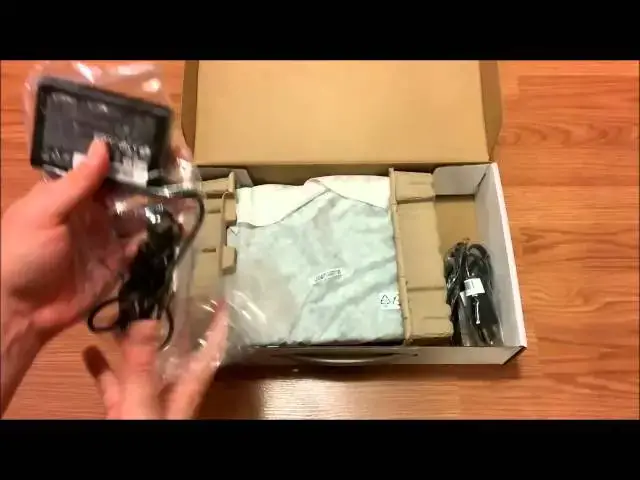
Hey everyone! I was finally able to get my hands on the Acer C720 and I'm unboxing it here for you. A full review will follow soon!
Show More Show Less View Video Transcript
0:02
all right folks it's robbie payne here
0:03
again
0:04
and uh here with the unboxing
0:07
and initial hands-on with the acer
0:10
chromebook c
0:12
720 just came in from best buy
0:16
and i know there have been a few of
0:18
these unboxings and hands-on
0:21
around the internet i wanted to spend a
0:23
little bit of time with this device
0:26
ultimately if i'm being upfront and
0:27
honest i'm probably going to end up
0:30
going with the hp 14 hp chromebook 14
0:33
as my daily driver but i did want to
0:35
give this one a chance
0:37
it is packing the same internals pretty
0:40
much as the hp 14
0:42
and so i thought it uh it deserved a
0:44
little bit of my time
0:46
and so i will actually have it and the h
0:49
my hp 14 again
0:51
uh side by side uh in a few hopefully in
0:54
a few days
0:54
and be able to kind of compare a few
0:56
things a few intangible things
0:58
keyboards track pads and especially
1:01
displays
1:01
as most people know the displays on both
1:04
of these devices
1:05
are not the best in the world they're
1:07
okay
1:08
they're passable and they're usable but
1:10
they're they're
1:11
pretty much average and so it'd be
1:12
interesting to see kind of side by side
1:14
which one
1:15
which one wins in that comparison so
1:17
without any further ado
1:18
i do want to be uh fully disclosed here
1:21
and let you know i was picking this up
1:23
and then ended up getting a phone call
1:25
and needed to meet
1:26
a client i'm working with and i was in
1:28
the process of
1:29
wiping my windows machine that i'm
1:31
taking back i've kind of gone back and
1:33
forth between
1:35
whether i wanted to use a chromebook or
1:36
whether i want to use a windows laptop
1:38
ultimately i have a pc at home so a
1:41
chromebook for me on the road is just
1:43
by far a better option that's just an
1:46
opinion probably
1:47
best saved for an editorial or something
1:49
like that later but
1:50
for me i found i've really in the few
1:53
weeks that i've been without a
1:54
chromebook have just
1:56
sorely missed it and and find myself
1:58
very productive
1:59
with especially online type activities
2:02
uh with a chromebook and especially the
2:04
hp 14. i really enjoyed that device and
2:07
so actually
2:08
repurchased it and it is coming in but
2:11
before i made that decision had
2:12
purchased this as well and so
2:14
one of them will go back but we'll we'll
2:17
kind of have to see
2:18
see which and and i'm kind of in favor
2:20
of the
2:21
hp already so anyway and and having to
2:24
meet that client
2:26
i needed a computer immediately and this
2:28
is all i had so
2:29
the awesomeness of chromebook allowed me
2:31
to open it up um
2:32
be online and be ready to go and work
2:34
with him within about 10 minutes so
2:36
again that is the awesomeness that is
2:38
chrome os what i did is the power wash
2:41
turned the thing off and repackaged it
2:43
as close as what i could
2:45
um as to the way it was when i opened it
2:48
up so that we can still kind of get an
2:49
unboxing feel but
2:50
i wanted to be upfront with you on that
2:52
so without any further ado we will go
2:54
ahead and get to this
2:57
sorry there
3:01
we pop it open and as expected in a 250
3:04
laptop there is nothing special about
3:07
the box here
3:08
uh we've got a little bit of getting
3:11
started with chrome os
3:12
let's be honest um there's not much to
3:15
it sign in
3:16
and work that's why it's awesome um
3:19
i didn't open this up i don't even know
3:21
what this is i guess the handbook
3:23
it's chrome os so it's pretty thin not a
3:25
lot there
3:26
uh we have our power adapter which is
3:29
again not as fancy as the hp
3:31
chromebook 11 and being able to charge
3:34
via usb
3:35
but since that thing is overheating and
3:36
being recalled maybe fancy is not always
3:39
the best thing in the world
3:40
but it is a neat little power brick it's
3:42
it's a lot more slender than what you
3:44
find in a lot of stuff so
3:46
kind of cool but pretty standard
3:54
and also we've got the extender for that
3:58
again incredibly standard nothing
4:00
special going on here
4:02
then we get to the device itself we are
4:04
in
4:05
incredibly cheap looking egg crate kind
4:07
of things but
4:08
again they serve their purpose
4:11
kind of a cheesecloth kind of thing
4:12
going on here and then we're to the
4:15
machine
4:15
itself
4:20
dark gray and yeah i mean you all have
4:23
probably seen it many reviews
4:26
real real cheap feeling plastic i will
4:28
take a tour around the device real quick
4:29
before we
4:30
turn it on um i like the design that
4:32
they've done here
4:33
it emulates a lot more thinness from the
4:35
side profile
4:36
that they brought this up here um and
4:39
it's a it's at least a bit more stylish
4:40
than last year's model last year's model
4:42
was just completely horrendous
4:44
we've got full size sd card slot usb
4:47
3.0 i believe i'd have to double check
4:50
that but i'm pretty sure it's 3.0
4:52
we got the fans in the back there's a
4:55
slot
4:56
it doesn't open i'm assuming they're
4:57
going to eventually it's acer so they're
4:59
going to probably have 10 of these
5:01
in different configurations there
5:02
probably will be a 3g maybe 4g model
5:04
at one point who knows okay that one's
5:07
2.0 this one is the blue
5:08
3.0 so we got two and three we've got
5:10
the full-size hdmi jack
5:12
we've got the uh charging port and then
5:14
the earphone microphone jack
5:16
nothing nothing out of the ordinary here
5:18
now we've got speaker grilles on both
5:20
sides
5:21
and we got some additional fan stuff
5:23
going on here rubber feet and screws
5:25
um again guys this you don't buy this
5:28
because it's a looker
5:29
um you buy this because it's productive
5:31
and so
5:32
we're gonna go ahead and open her up and
5:34
we got the
5:37
uh keyboard guard and we're basically
5:39
loading chrome as if
5:40
uh we were starting up from scratch
5:42
because like i said i did do a power
5:43
wash on just so you can see
5:45
real quickly um how this
5:48
uh haswell class celeron processor does
5:51
so we're going to get on the wi-fi here
6:01
and we're connected
6:05
and i'll say in my my short bit of time
6:07
um using
6:08
this device trackpad is cheap feeling
6:11
kind of flimsy
6:12
but it is responsive uh the click is not
6:14
super hollow
6:16
i got a few hours probably hands-on time
6:20
with the asus t100
6:23
one of the new windows transformer type
6:26
books
6:27
that that is running the atom processor
6:29
and just
6:30
just so you know if you're looking at
6:32
one of those in comparison to this with
6:33
hp
6:34
14 uh just stay away from that unless
6:36
you absolutely have to have windows and
6:38
in which case
6:39
get something with a better processor
6:40
that atom processor still
6:42
is not it's just not ready for a lot of
6:44
tasks
6:45
it was so sluggish it took me forever to
6:47
get the thing set up and
6:49
i was just kind of a nightmare and
6:50
granted i was coming from a chromebook
6:52
experience over the last few weeks and
6:55
and used that for a little bit
6:56
and just was really really disappointed
6:58
with it i'll take this off screen real
7:00
quick and sign in
7:08
and we'll let that do its chrome magic
7:14
so yeah i want to be me
7:20
and that's it um you guys who are
7:23
watching these reviews know
7:25
quite well uh how the chrome setup goes
7:27
and over the next you know 10 minutes or
7:29
so it's in the background just gonna
7:31
update all my apps and
7:33
just be ready to go and ready to use and
7:35
like i said i pulled the thing out of
7:37
the box
7:38
turned it on and was able to work with a
7:40
client on a website project
7:42
so i can't say enough about the
7:44
productivity of chrome os and granted
7:47
it takes a little bit of push on your
7:50
side
7:50
in order to get everything you own in
7:51
the cloud
7:53
but once once you've done most of your
7:55
stuff and you can be cloud based on the
7:57
majority of things you do
7:58
you can do most of it on a chromebook
8:00
and the os is just
8:02
so simplistic and so out of your way
8:04
it's it's great
8:07
again i went back to windows for a few
8:09
weeks and and i've come running back to
8:10
chrome os because i
8:12
really really honestly miss it i miss
8:14
its usefulness
8:15
i miss it simplicity missed the speed
8:17
there we go updated to my
8:19
uh to my to my background there i've
8:22
heard a lot of knocks against this
8:23
screen
8:24
uh it is a tn panel so i will show you
8:27
here
8:28
if we tilt it forward you start to see
8:29
that polarization it's looking really
8:30
white on the screen and that's what it
8:32
looks like
8:32
in real life also we tilt it way back
8:35
we start to see that same thing kind of
8:37
going on let me get this on access with
8:39
the camera
8:42
that's somewhat close you can see as i
8:45
turn it to the side
8:46
you actually don't lose a whole lot i
8:48
mean you get a little bit of loss of
8:50
color
8:50
uh but side by side is not too bad with
8:53
this guy
8:55
incredibly light it's approaching the
8:56
lightness of
8:58
of the hp 11 nice and thin profile
9:03
like i said the build quality is not
9:05
there but you know it's firm enough
9:07
it doesn't creak and flex and stuff in
9:09
your hand
9:11
and and the panel is decent i held a
9:13
nexus 7 up to it which is a really great
9:15
a great display and and looked at some
9:18
images kind of sort of like this
9:19
that have a lot of different colors in
9:21
them and it does a decent job
9:23
replicating color it is a little washed
9:26
out and then it's a bit grainy because
9:28
it is a matte display
9:29
anti-glare finish however the upside to
9:32
that is whenever you're
9:33
working in a place where there's lots of
9:35
light windows
9:36
uh knocks that glare right off the
9:38
screen so it's
9:40
it seems like with technology with
9:42
chromebooks with anything there's always
9:43
trade-offs and so
9:44
i'm gonna spend some time with this over
9:46
the next week or so hopefully i will
9:48
have it
9:48
next to the hp chromebook 14 as well
9:51
which again
9:52
similar exactly the same internals
9:54
actually same processor same ram
9:57
and just different display size and uh
10:03
and hopefully
10:04
after spending some time together we'll
10:06
we'll get a side by side we'll look at
10:07
them
10:08
um and and like i said i'm already
10:10
swayed kind of towards the hp 14 but
10:12
we'll see we'll see if the uh the acer
10:14
c720 can win me over or not
10:16
uh but for now that's all thanks for
10:18
watching
#Computer Hardware