Up next in 10



30-day trial to Audible + free audiobook - http://audibletrial.com/chromeunboxed
Shop Google Pixel Slate and Read More: https://chromeunboxed.com/news/google-pixel-slate-review
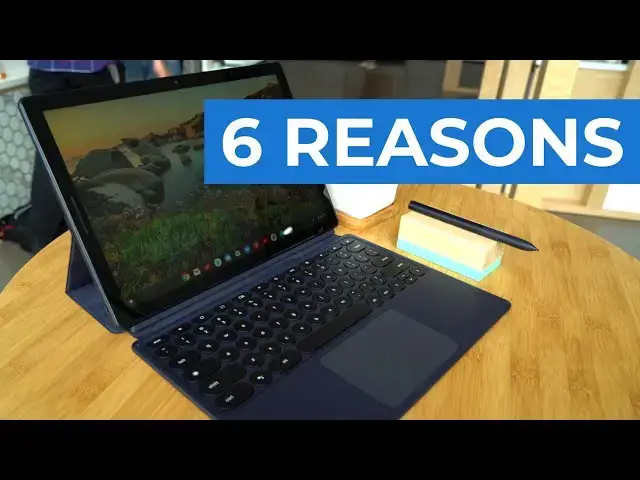
Though we don't have either device yet, there are a few key ways the Pixel Slate can beat the upcoming iPad Pro.
Read more: https://chromeunboxed.com/
Join our newsletter: http://bit.ly/2WjCDm7
・・・・・・・
Shop Chromebooks on Amazon: http://bit.ly/chrmbooks
Subscribe to the channel: http://bit.ly/2xFuj6L
The Music We Use - PERFECT for YouTube: http://bit.ly/31W6PYP
Become a member of Chrome Unboxed to help us make our channel even better, and for access to exclusive perks: http://bit.ly/CU-join
Follow us: https://www.instagram.com/chromeunboxed
https://twitter.com/chromeunboxed
https://www.facebook.com/Chromeunboxed
https://mewe.com/join/chromeunboxed
Show More Show Less View Video Transcript
0:00
[Music]
0:08
so at Apple's iPad event and that's what
0:11
I'm calling it because yeah they talked
0:12
about a new MacBook Air and the Mac Mini
0:15
but the star of the show really was the
0:17
iPad pro at this event Apple really
0:20
showed us kind of a next step forward
0:22
with what they're gonna do with tablets
0:24
they shrunk the bezels they have amazing
0:27
screen still they packed them full of
0:29
just amazing internals and overall they
0:31
did a great job and you'd be forgiven
0:33
for thinking that we don't pay attention
0:34
to anything outside of Chrome OS around
0:36
here but that's just not the case we
0:38
look at all tech and we think about all
0:40
tech and how it will impact the market
0:42
and all that kind of stuff and so I
0:43
watched the entire keynote actually and
0:45
was really impressed by the iPad pro so
0:47
much so that like there's part of me
0:49
that for the larger model I kind of
0:51
wouldn't mind going and spending the
0:53
money to get one but the minute I
0:54
started thinking about that I started
0:55
thinking about this and that is what can
0:58
I do with that device and so in this
1:00
video we want to talk about six things
1:02
in particular that we feel like with the
1:04
upcoming Google pixel slate thinks that
1:08
you can do with a chrome OS tablet
1:10
specifically the pixel slate that you
1:12
can't exactly do on an iPad Pro even the
1:15
larger one and it breaks down to
1:16
multiple things across multiple ways
1:19
that you would use both of these devices
1:20
and they're not the same thing and there
1:22
are going to be things that the iPad pro
1:24
will do better than the pixel slate or
1:26
any other Chrome tablet probably for at
1:29
least the next year because apples have
1:31
a lot of time to think about the
1:32
hardware and software and how they work
1:34
together in tablets but if you're
1:36
watching this video you're probably
1:37
wondering can I get away with using a
1:39
Chrome OS tablet and what ways would it
1:41
be better than actually having an iPad
1:43
pro it's so we want to talk about six
1:45
specific ways that we think Chrome OS on
1:47
a tablet is actually gonna be a little
1:49
bit better than an iPad pro before we
1:51
get into those six reasons though this
1:53
video is brought to you by audible and
1:55
for our viewers today if you go to
1:57
audibletrial.com/preneurcast ended
2:06
displays now they did show on stage
2:08
where the iPad pro can hook into an
2:10
extended display and if the app supports
2:12
it
2:13
some stuff can happen on the extended
2:15
display but that's up to the app
2:16
developer and it's not really up to I Oh
2:18
s necessarily they say every time I hook
2:20
it in I'm gonna get an extended display
2:22
and if you're not sure what that means
2:24
an extended display means I get a
2:26
secondary display I can put other stuff
2:28
on it so instead of it just mirroring my
2:30
display I can actually drag other things
2:32
onto that well that kind of becomes a
2:35
difficult process to do when you don't
2:36
really have a pointing mechanism and
2:39
that brings me to my second point number
2:41
two there is no trackpad mouse support
2:44
of any type of pointing device really on
2:47
an iPad and that's by design
2:50
Apple has been very clear like the way
2:52
that you deal with these touch devices
2:53
is with a finger I mean Steve Jobs was
2:55
very specific and saying you didn't even
2:57
need a stylus now of course Apple's
2:59
backtracked on that and there's the
3:00
Apple pencil and it's great like it
3:02
writes really well and does lots of cool
3:05
tricks and does all kinds of thing but
3:07
it is not a substitute for a proper
3:10
mouse or trackpad when you're talking
3:11
about productivity so you don't have I'm
3:13
moving between multiple apps find
3:15
movements any kind of creation with
3:18
logos and graphics and animations stuff
3:20
like that it becomes really difficult to
3:22
do that just with a pencil and with the
3:24
blunt thing that is your finger and so
3:26
yes there is video editing yes there's
3:29
audio editing yes there photo editing on
3:32
iPads but when you really need to get
3:34
down and get productive sometimes you
3:36
just really really need Mouse support
3:38
and especially like we just talked about
3:39
for extended displays if I need to move
3:41
something on to that extended screen and
3:43
then get to it to do something
3:44
well that extended screen usually is not
3:46
going to be a touchscreen so all the
3:47
touch things I have on the iPad won't do
3:50
anything on that screen number three
3:52
file management and I know this has been
3:54
the bane for a lot of people who want to
3:56
go out and take photos or videos and
3:58
then just hook it in and do something
3:59
because my movie is really good actually
4:02
you can you can create some pretty cool
4:03
stuff with iMovie but there's been a lot
4:06
of difficulty moving those files over
4:08
and getting them in a place where you
4:09
want to use them now there are ways
4:11
around it and there's workarounds and
4:12
apples even created a files app in iOS
4:14
but it's still not proper file
4:17
management and don't get me wrong the
4:19
file management on Chrome OS is not
4:21
perfect by any means I mean Windows and
4:23
Mac OS Smoke both of these honestly as
4:25
far as flexibility in the
4:27
to do tons of stuff with file managers
4:30
but chromo says file management's
4:31
getting a lot better and it's getting
4:33
stronger with each iteration of the OS
4:36
and so now you can handle your Linux
4:37
files you can handle your google play
4:39
files you can handle your local Chrome
4:40
OS files all in that file manager move
4:43
things around copy things unzip zip all
4:45
that kind of stuff it can't do most of
4:47
those things in the files app for iOS
4:50
and speaking of things on a desktop
4:52
number four is there's no desktop type
4:56
multitasking now Apple brought in I
4:59
think it was with iOS 10 or 11 something
5:00
like that the split screen thing and so
5:02
you can pull different apps and there's
5:04
little shortcuts and that kind of stuff
5:05
but if you've ever worked from this type
5:07
of system for any period of time because
5:09
Chrome OS does this windows does this
5:11
Android does this split-screen
5:13
multitasking kind of thing if you've
5:15
ever worked from it for an extended
5:16
period of time
5:17
you know how claustrophobic it just
5:19
starts feeling after a bit like every
5:21
once in a while I want to see my desktop
5:22
underneath all the windows and sometimes
5:24
I just need to move this over here but I
5:25
need to move this up here and that one
5:27
over there and this little thing over in
5:28
the corner and then maybe move this one
5:30
over to an extended display I can't do
5:33
any of those things so when I'm on an
5:35
iPad and I'm fullscreen with an app and
5:36
I bring another one in I'm still full
5:38
screen with two things right here and
5:40
they take up the entire viewport all the
5:42
time and so I've actually tried working
5:45
like this I've put my Chromebook in
5:47
tablet mode and dropped it into a
5:49
keyboard this is before it would just
5:51
magically turn into a desktop whenever
5:52
you did that and tried working just a
5:54
keyboard and using touch controls I made
5:56
it all of about 45 minutes before I was
5:58
like okay the experiment done I can't
6:00
work this way and so I just can't
6:03
imagine working every single day on one
6:06
screen and only being able to drag
6:08
between two apps that just seems really
6:10
really restrictive to me and not
6:12
productive and again if this is a device
6:15
you're using to consume content edit a
6:17
video every once in a while and that
6:18
kind of stuff no big deal no that's
6:20
actually a problem it's just if you're
6:22
really gonna get productive you're gonna
6:23
work six to eight hours on this thing
6:25
every day really think that lack of
6:28
desktop type multitasking with Windows
6:30
all of a sudden starts becoming an issue
6:32
another part of that whole desktop
6:33
experience is a desktop browser and so
6:36
number five is
6:38
the iPad lacks a proper desktop browser
6:41
and if you've used tablets and mobile
6:43
browsers on tablets you know the
6:45
difference a you don't get extension so
6:47
all those extensions you might lean on
6:49
pretty heavily to get stuff done during
6:51
the day those are kind of out the window
6:53
especially with Chrome and Safari and so
6:55
now you've you've limited yourself in
6:57
that way and then additionally if you
6:59
need development tools in any way shape
7:00
or form you may not you may never need
7:03
this stuff but again I'm thinking about
7:04
people trying to get stuff done if you
7:06
need those development tools in in your
7:08
browser
7:08
those aren't there either and a lot of
7:12
times mobile websites just render
7:14
differently or some websites are set up
7:16
to detect are you on a mobile browser or
7:18
even a desktop browser and so out of the
7:20
box you go to certain websites you're
7:21
always going to get the mobile
7:22
experience it doesn't matter what size
7:24
your screen is and so there's a lot of
7:26
hiccups when it comes to browsing the
7:28
web and using it for productivity on a
7:30
mobile browser it's just not the same
7:33
thing and most of us know that if you've
7:35
ever had to use one for productivity you
7:37
realize that that mobile browser isn't
7:39
quite up to par with what you would get
7:41
on a desktop Chrome OS gets that full
7:43
desktop obviously that full desktop
7:45
chrome experience and all the tools and
7:48
all the extensions are there when you
7:49
need them and so that becomes a lot more
7:51
efficient at actually getting stuff done
7:53
and lastly number six if you are a
7:55
developer in any way shape or form if
7:57
you develop for anything basically
7:59
you're gonna have some issues using an
8:03
iPad pro as your main work device and
8:05
most of the tools that you would need
8:07
just simply aren't there and honestly
8:09
they didn't used to be there for Chrome
8:11
OS either you would have to either be on
8:12
Mac OS or Windows but now you can
8:15
install Linux apps and Google's made it
8:17
pretty clear like if you want to develop
8:18
Android apps have a Chromebook and
8:21
installing Linux apps is pretty
8:23
straightforward and you can have
8:24
whatever development thing you need in
8:26
order to get that done at the end of the
8:27
day and that's just not there on iOS so
8:30
if you look at all six of these reasons
8:31
together and there are more we scratched
8:34
some off the list but we wanted to kind
8:35
of keep this condensed what we really
8:37
are trying to show you is not that iOS
8:40
is inferior or a waste or not good it is
8:44
not to say that the iPad pro is not an
8:47
amazing piece of hardware it
8:49
it's really really amazing what we
8:50
wanted to do is help you choose is an
8:54
iPad with iOS 12 or something like the
8:57
pixel slate a better option for me and
9:00
as we look at for instance with the new
9:03
iPad pros pricing structure all of a
9:05
sudden the pixel slate doesn't look so
9:06
bad everybody was kind of freaking out
9:08
about how much it was going to cost and
9:09
now it's like oh well that's not that
9:11
bad there there are going to be benefits
9:14
there gonna be things that the iPad will
9:15
do better the a12 Bionic chip and some
9:19
of the apps that are going to be written
9:20
for iPad we're just gonna flat out be
9:22
better than the Android apps that will
9:24
be written for the pixel slate and so
9:27
you got to know that going in what are
9:28
you going to use this device for using
9:30
it for consumption and gaming and
9:32
entertainment reasons or are you really
9:34
wanting something that you can sit down
9:35
at work and take to work and get work
9:37
done because the the prime question I
9:40
have to ask myself when something starts
9:41
costing as much as either one of these
9:43
devices is what can I use it for and is
9:46
it worth that to me and so if I start
9:47
looking at the iPad what I can use it
9:49
for is just honestly a lot of
9:51
entertainment stuff and I would have fun
9:52
with it and would like it because it's
9:54
shiny and it's pretty and I like all the
9:56
things that can do and I love the idea
9:59
of how powerful the ARM chip is in it I
10:02
love where they're going with it cuz
10:03
they're so far ahead of everyone else
10:04
but I really don't know how much work I
10:07
can get done with it and so when I look
10:09
at the pixel slate for instance or any
10:11
upcoming Chrome OS tablet that has good
10:14
Hardware because I think we're going to
10:15
see a lot of them when I look at those
10:17
devices I can say hey has these Android
10:20
apps keep getting better and it's
10:21
progressive web apps keep getting better
10:22
these experiences on the tablet are
10:25
going to just keep getting better and
10:26
smoother and and and more enjoyable to
10:29
use but then when I'm ready to work I
10:31
can put a keyboard and and a mouse with
10:33
this or a trackpad or something like
10:35
that I can extend my displays I can do
10:37
all sorts of things and I won't skip a
10:39
beat when it comes to getting my job
10:41
done and being productive and so I can
10:43
kind of have the best of both worlds
10:44
over here is it the best tablet No I can
10:48
we don't have one yet and I can tell you
10:50
the pixels late compared to the iPad pro
10:52
will not be a better tablet that there's
10:54
just no way it can be at this point the
10:56
software is just now coming along and
10:58
Apple is years ahead in that game
11:00
if you're looking for a device that's
11:01
going to satisfy some entertainment
11:04
needs some tablet needs look good while
11:06
doing it be a nice piece of hardware but
11:08
then be very productive at the same time
11:10
and actually jump into a desktop mode
11:12
and be able to get some stuff done and I
11:15
really do feel like with these six
11:17
reasons we've given and even a couple
11:19
more that you might even have come up
11:20
with while you've watched this video
11:21
that you really should give the pixel
11:24
slate a look when it becomes available
11:25
later in November guys that's it for
11:28
this one if you liked it give a thumbs
11:30
up hit that subscribe button below and
11:32
until next time we'll see you
11:34
[Music]
Online Media
Consumer Electronics
Science