0:00
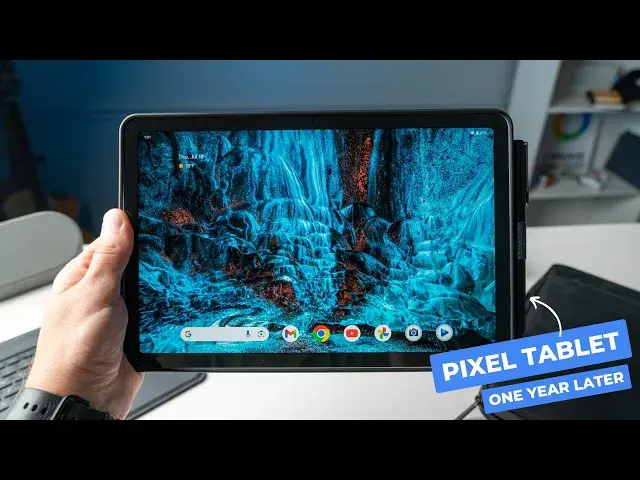
The Pixel tablet has been out for a little over a year now
0:03
and I've been using it more and more lately. This Google made Android tablet slash smart home display
0:09
definitely had a bit of a lackluster debut, but it's now a device that I pick up a lot
0:14
So let's talk through how I've been using the Pixel tablet and if it's still worth it one year in
0:23
But before we get into that, today's video is brought to you by EIP
0:27
a new brand from the folks that make Panoval. Their new magnetics Bluetooth keyboard case
0:32
for the Pixel tablet includes a detachable keyboard that has seven different backlighting colors
0:37
and yes, a track pad that supports multi-gesture so that you can swipe between apps, pinch to zoom
0:43
and even take a screenshot. The keyboard also has a row of built-in shortcuts
0:47
giving you quick access to things like media controls on screen brightness. It has a whopping 200 hours of battery life
0:52
and the whole thing magnetically attaches to the case so that you can just pop it off
0:57
and just take the case when you're not typing. Maybe if you're taking notes or if you want to dock the tablet with the case
1:03
maybe if you're working on a recipe in the kitchen. The protective case is also well-made
1:07
with a sturdy stand that can adjust from 30 to 135 degrees
1:10
a pin loop to easily store your Panoval USI pin, and the stand cutout allows for easy docking
1:16
In addition to the new case, EIP also has a new slim tablet bag
1:21
that's made to fit the Pixel tablet perfectly. It has multiple compartments inside for extra storage
1:26
and the zippers are even lined, making this the only fully water-repellent bag
1:30
on the market. So if you own a Pixel tablet, you really need to check out the new Magnetics Keyboard
1:35
and Slim Bag from EIP. You can find links to both products down in the description
1:39
And again, a big shout out to EIP for sponsoring this video
1:43
All right, so first up, just a quick overview of the hardware here in case anybody needs a refresher
1:49
The Pixel tablet is a mid-range Android tablet that was originally sold with an included speaker dock
1:54
that could give you a Nest Hub-like experience all while charging the tablet
1:58
so it's always ready to go when you just wanna pop it off the dock and just use the tablet
2:02
The build quality is solid and it feels great in the hand. It's light and portable
2:07
and certainly has that Google design aesthetic that I love. The bezels are a bit big, but they're necessary
2:12
giving you somewhere to grab onto the tablet. And the screen is only 60 Hertz
2:17
but it still looks great with plenty of brightness and punchy colors
2:21
and the rounded corners on the display are just a nice touch that add to the whole user experience
2:26
Internally, you've got eight gigs of RAM and the option for 128 or 256 gigs of storage
2:32
paired up with a Tensor G2 processor. And moving around, this device is buttery smooth
2:37
The back and front-facing cameras are both usable. They're not great, but they're usable if you need to scan a document
2:43
or take a video call. The dock has magnets that are strong enough to hold the tablet on securely
2:48
but not too strong that you can't easily pop it off. And it also has the built-in speaker, of course
2:53
that I've been using a lot just to play background music in my home office. On the software side
2:57
you're met with a nice, clean Google version of Android that also includes a few extras layered on top of the OS
3:03
And although there's been some rumors of the Pixel tablet stealing a few features from the Nest Hub Max
3:08
like look-to-talk and quick gestures, they haven't arrived yet. But honestly, for me
3:13
the dock is more of just a convenient place to keep the tablet charged at all times
3:17
It's a nice picture frame and an occasional smart home controller. But what about when you take the Pixel tablet
3:23
off of the dock? Well, I'll tell you, this is where the Pixel tablet has really surprised me
3:28
I have found several key use cases for just the tablet that I didn't think about when it first arrived
3:33
And I think Google recognizes the usefulness of just the tablet too, since you can now buy just the tablet without the dock
3:39
Again, the dock is great and does add some unique functionality to the tablet
3:43
but what is it like just using the tablet? I've found the Pixel tablet
3:48
to be a great around-the-house device that I've been using to read a few pages of a book
3:52
here and there, to watch some YouTube videos, but mainly I've been using it to triage emails
3:57
in the morning before I make it to the desk. And it's just nice to grab the tablet for these tasks
4:02
instead of getting out my Chromebook. And there's just something about using the tablet
4:07
in this way that forces me to focus on one thing at a time. At my desk, I might have a half dozen windows open
4:13
with messaging apps running on the side, and I can easily get sucked into distractions
4:17
But with the Pixel tablet, I find myself siloed in one or maybe two apps
4:23
using split screen and staying much more focused on the task at hand
4:27
But I've loved using the Pixel tablet as my portable baby monitor too
4:31
If I wanna step outside or into the garage, but still keep an eye on the camera
4:35
I can just pop off the Pixel tablet and take it with me. And this way I can use my phone
4:40
without taking my eye off the camera. Of course, if you don't have kids
4:43
you could still use the tablet as your portable security feed. But here's where things get interesting
4:49
With a few accessories, you can actually get pretty productive on the Pixel tablet too
4:54
And one of those is a stylus. With any USI 2.0 pen
4:58
you can easily jot down notes, make sketches, or just navigate through the device
5:02
But the other is a keyboard case. Of course, you could pair up any Bluetooth keyboard
5:07
like the new Logitech keys to go to and a mouse to get productive
5:12
but then you're gonna need a case with some sort of kickstand or a tablet stand
5:16
and then you're gonna have to pack those accessories around with you. But a keyboard case gives you all of that functionality
5:22
in a folio style form factor that you can easily throw in a bag
5:26
or just carry around with you. I've been using the new EIP Magnetics case
5:30
since they sent this over to us, and it's honestly been a game changer for the Pixel tablet
5:34
I've been using it for a few weeks now, and I haven't taken the Pixel tablet out of the case once
5:38
since you can just pop off the keyboard when you don't need it. And with the full backlit keyboard
5:43
a shortcut row, a pen loop, this case gives you a lot of what you need
5:48
to get some things done on the Pixel tablet. And I think for the right person, this could be your laptop replacement
5:52
when you're away from the desk, or maybe even your main device, depending on your workload
5:57
I personally like to still have a full desktop for certain things
6:01
but that's just because of the work I do. If you're the type of person that is out and about a lot
6:06
or at meetings a lot, and you just don't need a full desktop workstation
6:10
this case could seriously be a game changer. Okay, so overall, what do I think about the Pixel tablet
6:17
one year in? Well, I'll tell you this, I left it at the office the other day
6:21
after we were making some social media videos for the new EIP case
6:25
and I found myself really missing it. So while it's not perfect
6:29
it has some real useful applications for me, and I've come to lean on it as my main smart home display
6:34
in my home office, and as a tablet that I can actually get some work done on
6:38
And I think that says a lot about the Pixel tablet. But that wraps up this video
6:43
I appreciate you all watching. If you like this video, give us a thumbs up
6:47
If you loved it, go down there and click subscribe, and make sure to ring that notification bell
6:51
to get a notification when we publish new videos. And also drop a comment below if you use the Pixel tablet
6:57
and let me know how you use it. We really do read those comments, and I'd love to hear from you
7:01
All right, I'll catch you guys in the next one. See you