

Support our independent tech coverage. Chrome Unboxed is written by real people, for real people—not search algorithms. Join Chrome Unboxed Plus for just $2 a month to get an ad-free experience, access to our private Discord, and more. Learn more about membership here.
START FREE TRIAL (MONTHLY)START FREE TRIAL (ANNUAL)
Yesterday, ASUS dropped a bombshell with the announcement of not one but two 11th Gen Intel Chromebooks featuring Tiger Lake CPUs and Intel’s Xe graphics. With them, the company also debuted its first AMD Ryzen Chromebook with a unique look that sets it apart from any Chromebook we’ve ever seen. Exciting stuff but that’s not the only thing that ASUS had up its sleeve.
The announcement doesn’t appear to be CES-related in any way but it did come smack dab in the middle of the week-long virtual tech event. Last November, ASUS took the wraps off of its latest Chromebox featuring Intel’s 10th gen Comet Lake CPUs. This week, ASUS has unveiled a new iteration of the Comet Lake Chrome OS mini PC that looks very similar to Chromeboxes from AOpen that are designed specifically for kiosk and enterprise use.
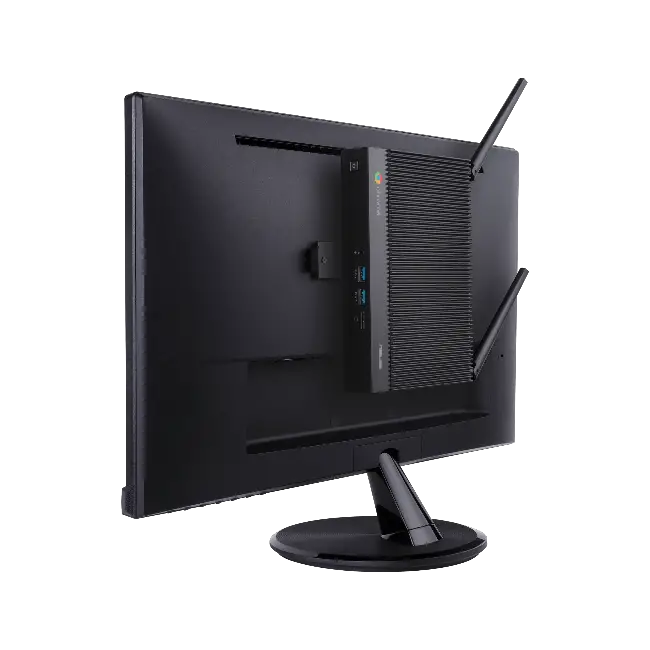
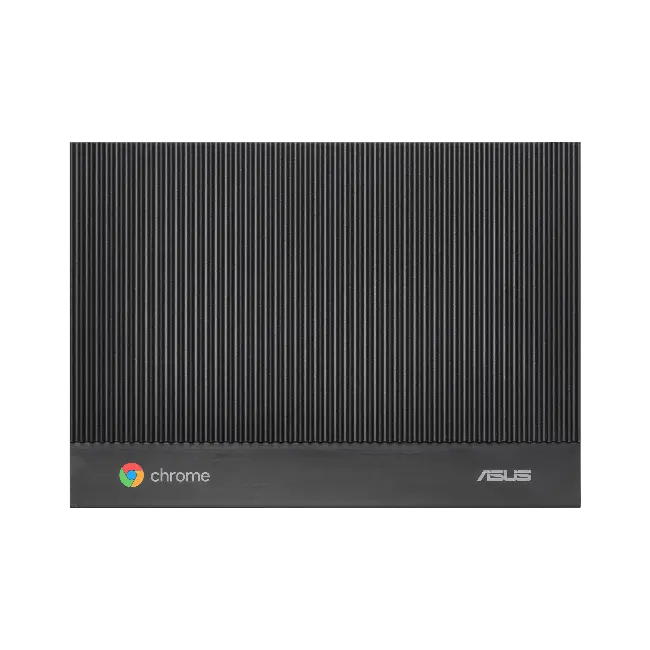
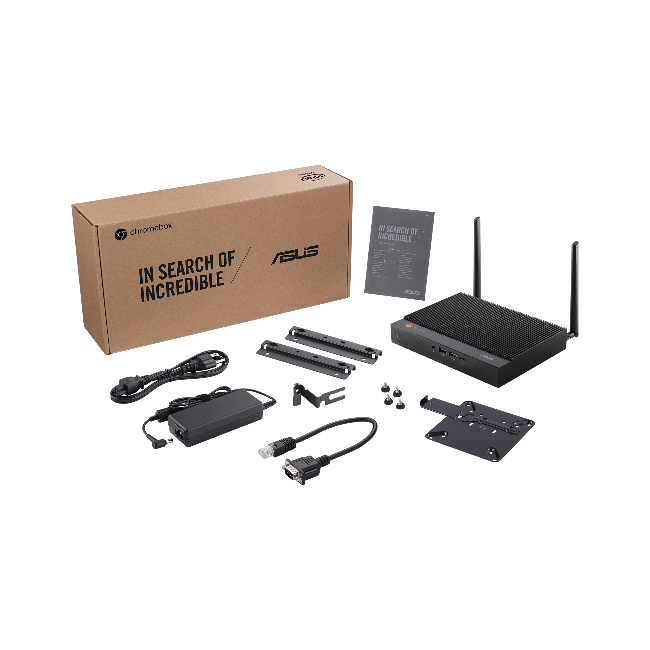
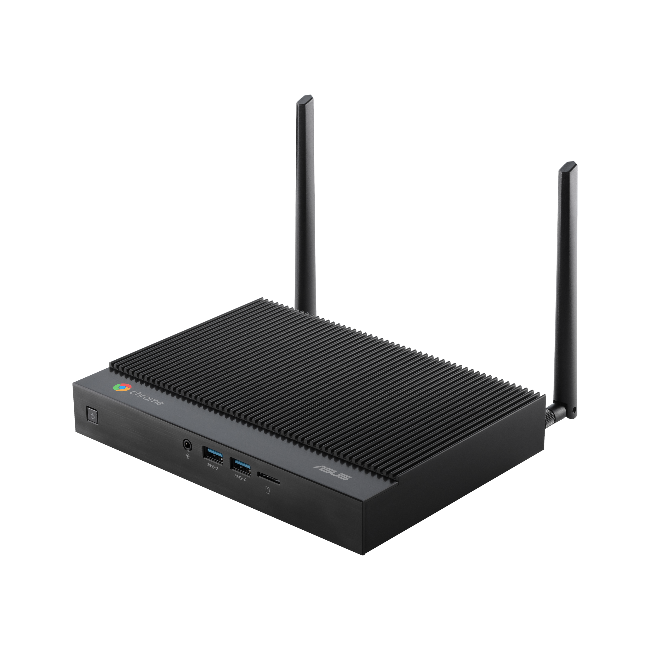
As far as internals are concerned, there isn’t really anything new to report. The ASUS fanless Chromebox features 10th gen CPU options that include the Intel® Celeron® 5205U, Core™ i3-10110U, and Core™ i7-10510U. Users can equip the Chromebox with up to 16GB of RAM and up to 128GB of storage. On that note, the 32GB and 64GB storage options appear to be eMMC so you won’t be able to upgrade those variants. The 128GB is an M.2 SATA so you should be able to increase that storage if you dare to tear down the box.
A fanless aluminum chassis stands up to harsh operating environments while providing silent operation and requiring less maintenance than systems with active cooling. Support for an external power-switch cable enables ASUS Fanless Chromebox to be turned on or off easily when placed in difficult-to-reach locations, and an RS232 via RJ50 interface lets users connect legacy monitors and devices. These features make ASUS Fanless Chromebox suitable for a wide range of uses, including digital signage, point-of-sale systems, intelligent vending machines, warehouse workstations, and even factory production lines.
ASUS
With the addition of an external power-switch cable and an RJ50 to RS232 adapter, it is clear that this “vented” Chromebox is designed with enterprises in mind. While I’m skeptical about rocking a Core i7 CPU in a Chromebox without a fan, companies that use this to drive large message boards or kiosks will probably find this device a perfect fit thanks to its silent and durable design. That said, ASUS isn’t limiting this rehashed Chromebox to only displays and interactive setups.
In addition to industrial and commercial use, ASUS Fanless Chromebox makes an ideal desktop-replacement system for cloud workers. With its small size, smooth performance and broad selection of apps, ASUS Fanless Chromebox fits anywhere and enables employees to get work done, whether in the office or working remotely at home.
ASUS
ASUS Fanless Chromebox
- Chrome OS
- Intel 5205U/Core i3/Core i7 10th gen CPU
- up to 16GB RAM
- 32GB/64GB eMMC or 128GB M.2 SATA SSD
- Wi-Fi 6, Bluetooth 5.0
- Front – 2 x USB 3.1 Gen2, Audio Jack, Micro SD card
- Rear – 1 x USB 3.2 Gen1 Type-A, 2 x USB2.0; 1 x USB 3.2 Type-C, 2 x HDMI 2.0, 1 x LAN (RJ45) Port, DC-in, Kensington Lock, Legacy RS232 serial port (RJ50), 1 x Extended Power Switch (Ports vary by CPU)
- 207 x 148 x 32 (mm)
- 1.2KG
- New lockable VESA mount
- Android and Linux app support
All “router” jokes aside, the design of this Chromebox is hugely popular among enterprise IT departments because it is durable, quiet, and discreet and Chrome OS is versatile enough to apply the mini PC to a wide variety of applications. Whether running digital signage or setting up workstations for employees, the new ASUS fanless Chromebox should be a hit so long as it is priced right. ASUS has yet to share pricing or availability but I would bet that it will pop up in enterprise channels soon. You can read the full press release here.
SUBSCRIBE TO UPSTREAM
Get Chrome Unboxed delivered straight to your inbox
Upstream is our flagship, curated newsletter with the top stories, most click-worthy deals, giveaways, and trending articles from Chrome Unboxed sent directly to your inbox a few times a week. Join 31,000+ subscribers.

